
Open RFQ Marketplace
Open RFQs are requests a buyer published to the market rather than sending to anyone in particular. Any verified provider covering that country can pick them up, which makes them the main way to win work from companies who have never heard of you.
FOR SERVICE PROVIDERS
You see open RFQs in your registered country by default. Seeing requests beyond it is part of Pro. Opting in and quoting both require company verification.
Key takeaways
- Open RFQs are published to a market, not addressed to you, so nobody is waiting on your answer.
- Your market defaults to your registered country, and Change markets widens or narrows it.
- Opting in is what turns a listing into a request you can quote.
- Once you have opted in, it behaves exactly like a direct request.
Where to find it
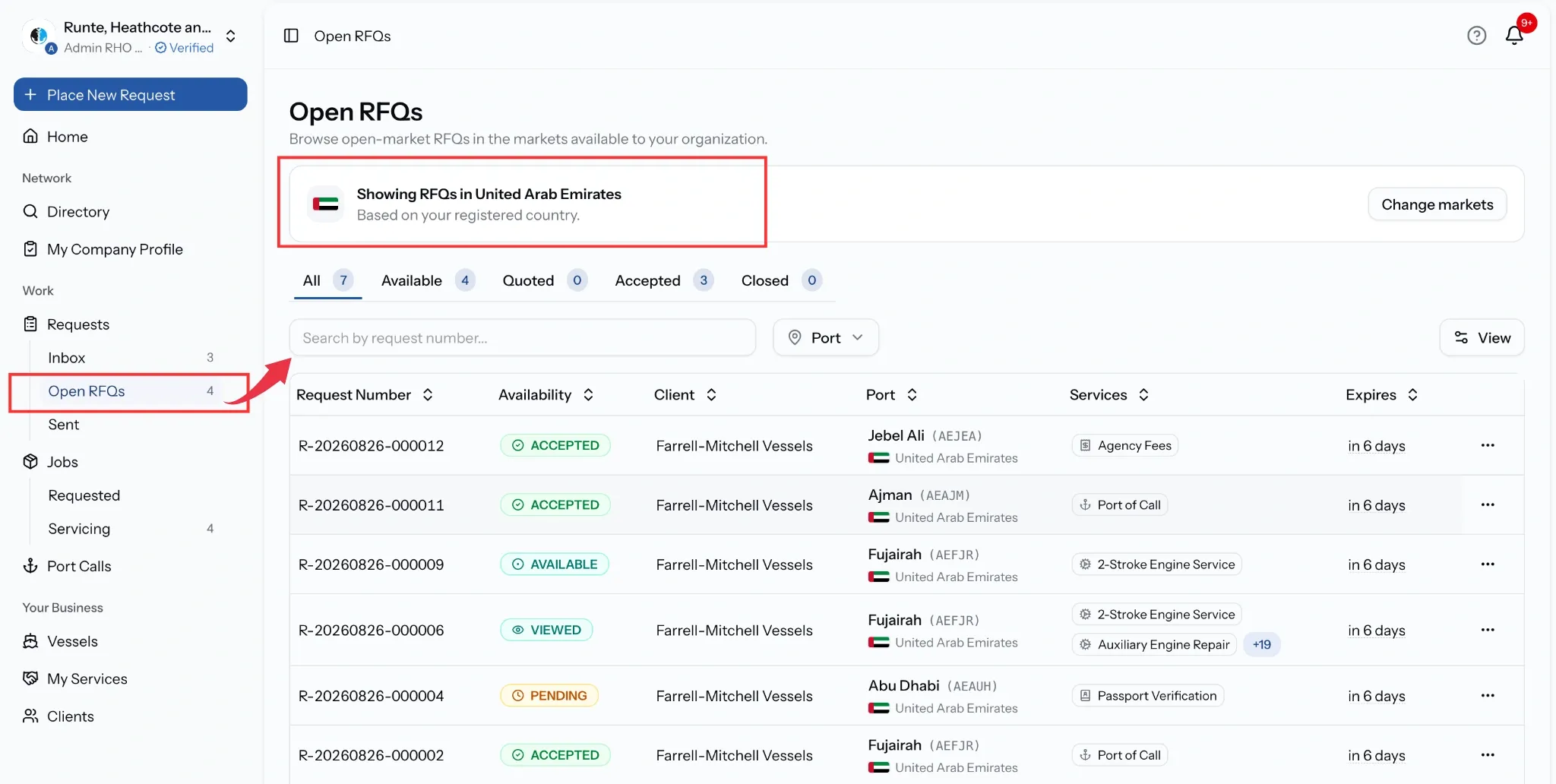
Select Requests, then Open RFQs.
Reading the list
Each row shows the request number, the client, the port, the services wanted, and when it expires, counted down in days rather than as a date.
Five tabs sort them:
- All, everything in your markets.
- Available, the ones still open to you. This is the working list.
- Quoted, where you have replied.
- Accepted, where your quote won.
- Closed, finished or expired.
Search by request number, and filter by port when a market is busy.
Choosing your markets
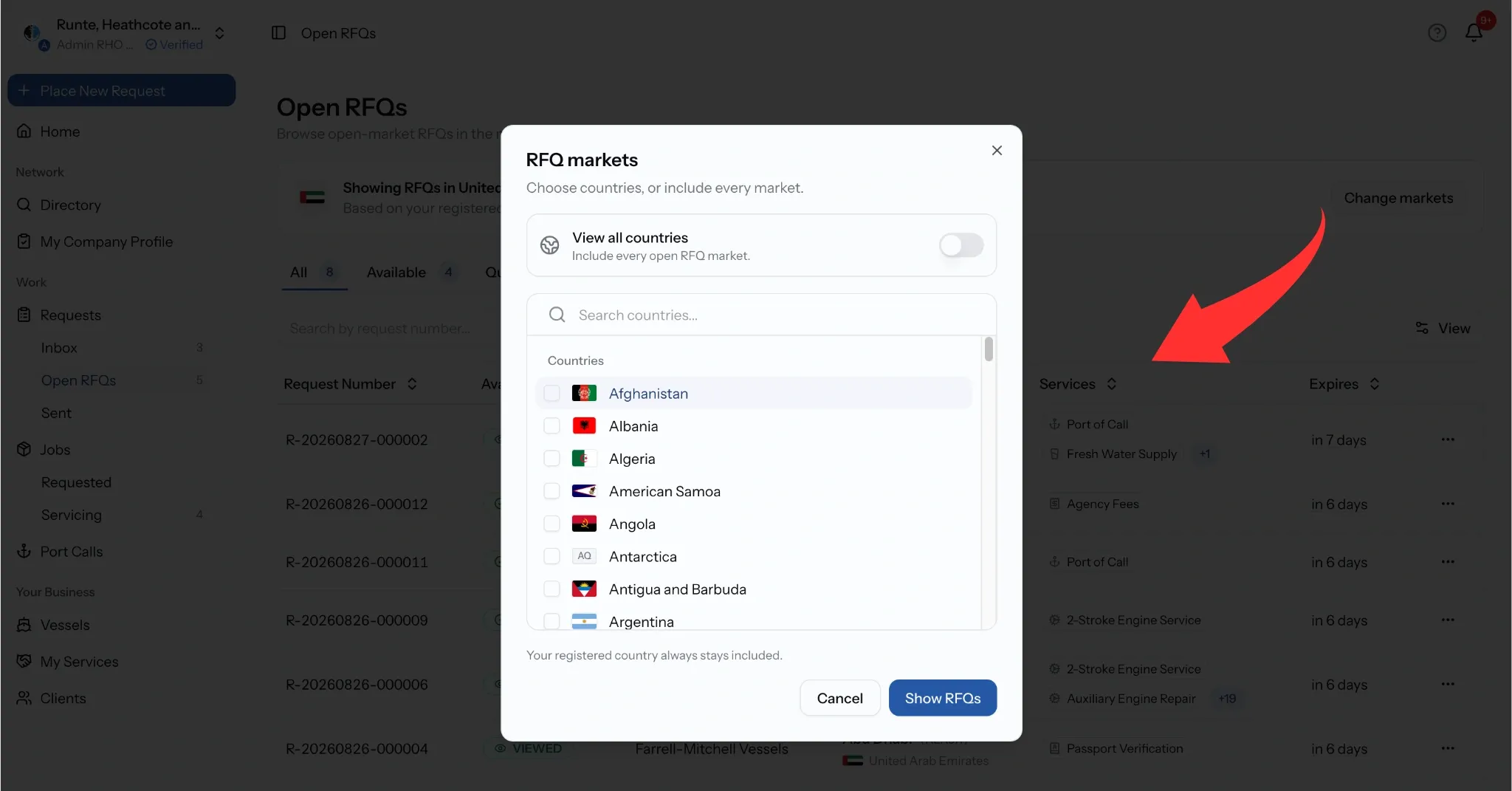
A banner at the top says which countries you are seeing, and by default that is your registered country. Change markets widens it, which is how a provider working across the Gulf or several trade lanes sees everything relevant rather than one country's worth.
Reaching beyond your registered country is part of Pro.
Coverage is only half of it. Your services also need ports switched on, since a request in a port you do not cover is not work you can deliver. See Services & Port Coverage.
Opting in and quoting
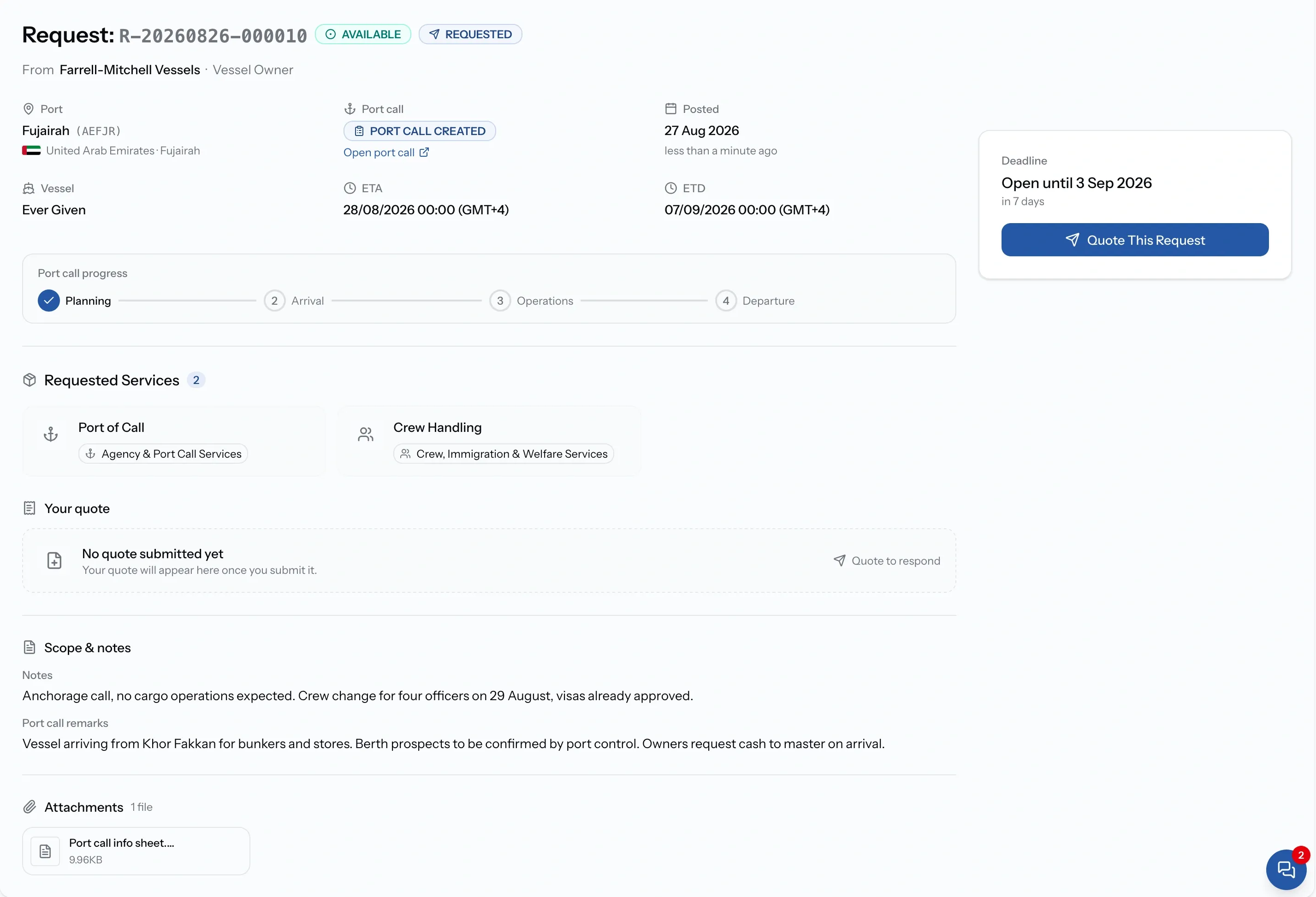
Open a listing to see the full request, then opt in to respond to it. That is what makes you a recipient, and from that point it works exactly like a direct request: quote it, or decline with a reason.
Line items prefill from your tariffs for that port, so a request in a port you have priced is quick to answer. One in a port you have not is where the work is.
Common issues
We are not seeing any open RFQs
Open RFQs defaults to your registered country. Use Change markets to widen it, and check your services have ports switched on under My Services.
Change markets will not let me add a country
Reaching beyond your registered country is part of Pro Plan.
I cannot opt in
Opting in requires company verification.
A listing has gone
Open RFQs expire, and one already filled by another provider closes for everyone.