
Direct Request Inbox
Requests addressed to your organization land here, already carrying the port, port call details, vessel, and attachments. Every one needs an answer, whether that is a quote or a decline.
FOR SERVICE PROVIDERS
Anyone in your organization can read the inbox. Responding to a request, whether by quoting or declining, needs company verification and the Admin, Manager, or Finance role.
Key takeaways
- Direct requests are addressed to you specifically, unlike open RFQs, which are published to a market.
- Tabs separate what needs an answer from what you have already handled.
- Declining with a reason is a real answer, and better than silence.
- You get one response per request. Changes after that go through a quote revision.
Where to find it
Select Requests, then Inbox. The count beside it is how many requests are waiting on you.
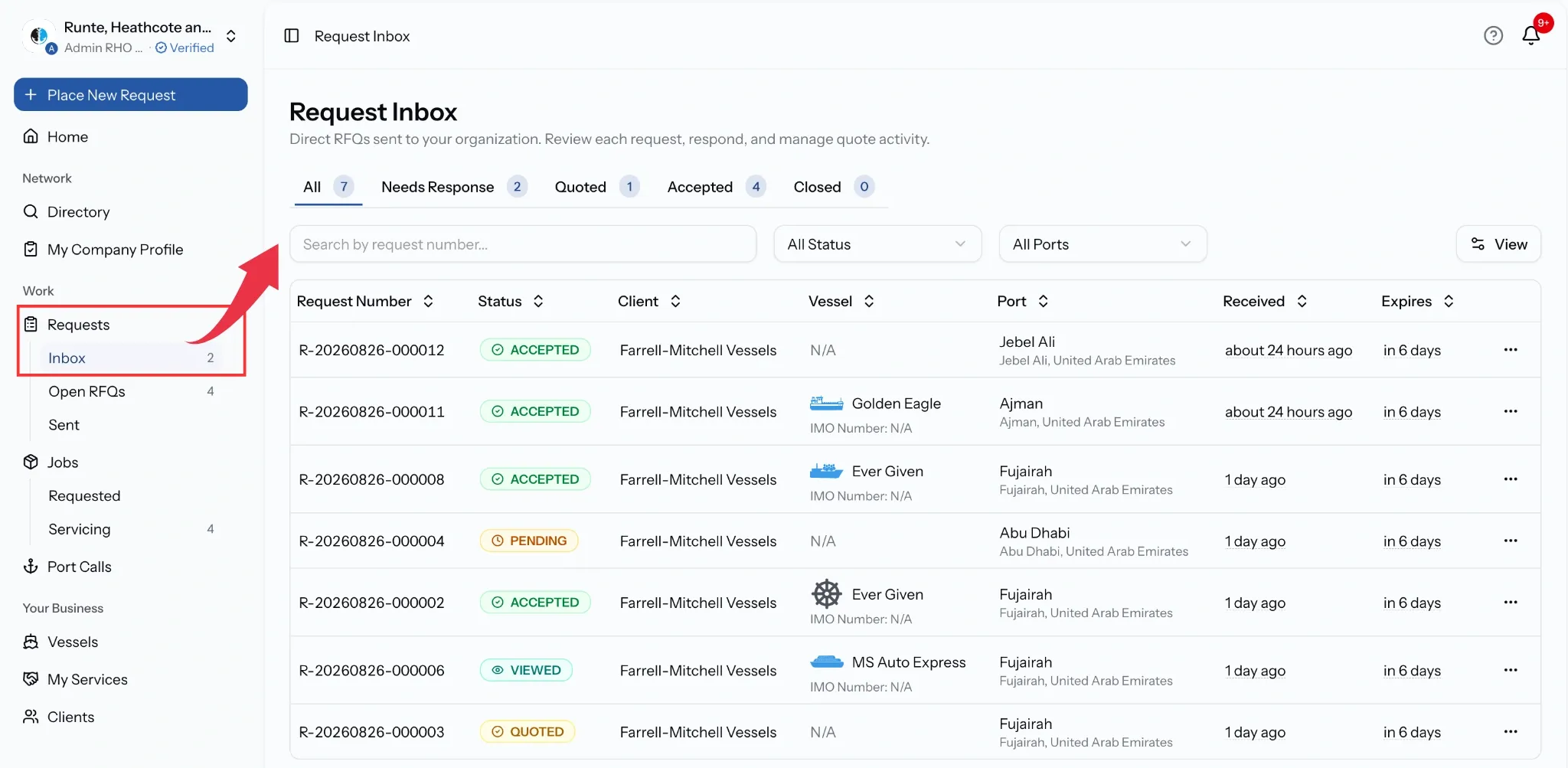
What arrives with a request
Every direct request carries the context a buyer filled in, so you rarely need to ask before pricing:
- The services they need, including anything they typed in themselves.
- The country and port, and their ETA and ETD where given.
- The vessel, if the work is tied to a port call.
- Operational remarks and any attachments, such as port call info sheets.
- The deadline, after which the request stops accepting quotes.
Responding
Open a request and you have two answers.
Quote it. Line items prefill from your tariffs for that port, so most of the work is checking rather than typing. See Quotations & Revisions.
Decline it, with a reason. That closes your side and tells the buyer not to wait on you, which is worth doing rather than letting the deadline run out.
Either way it counts as your response. If the buyer wants changes afterwards, they request a revision rather than reopening the request.
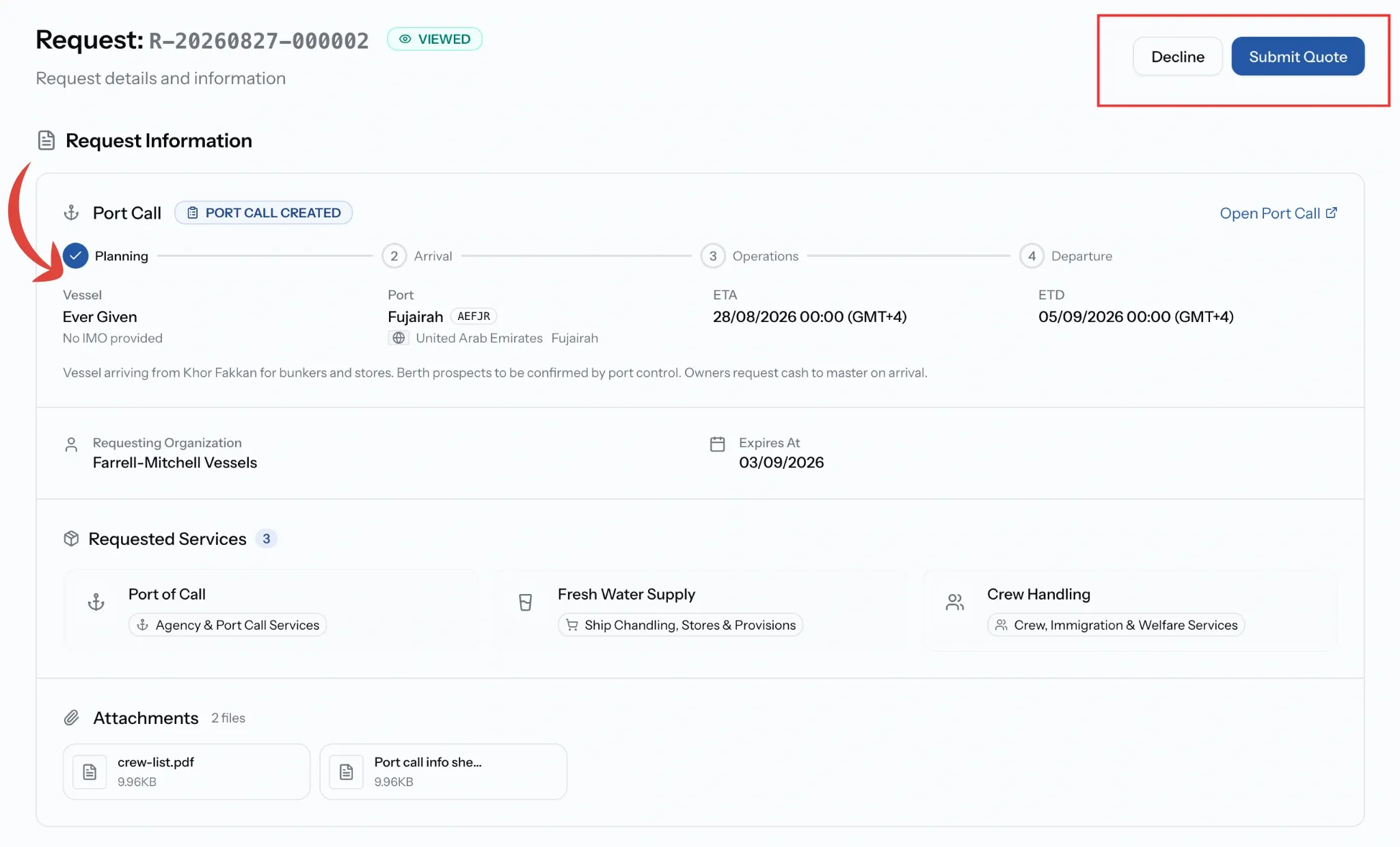
Where a request stands with you
Common issues
I cannot quote
Quoting needs company verification and the Admin, Manager, or Finance role.
The request is no longer accepting quotes
It has been cancelled, has expired, or has already become a job. Ask the buyer to extend or send a new one.
I have already responded and cannot quote again
One response per request. Changes go through a revision rather than a second quote.
Nothing is arriving in the inbox
Direct requests only reach companies a buyer has chosen. Open RFQs are separate, under Open RFQ Marketplace.