
Quote Comparison & Selection
Every quote arrives in the same structure, so comparison is line by line rather than a guess between two differently written emails. Accepting one turns the request into a job.
FOR BUYERS & PROVIDERS
Buyers compare and accept. Providers see the outcome. Accepting or rejecting a quote needs the Admin, Manager, or Finance role.
Key takeaways
- Quotes sit side by side with their totals, and the lowest is flagged.
- A currency toggle lets you compare quotes priced differently on the same terms.
- Accepting creates the job and its disbursement account, and locks the currency and exchange rate.
- Competing quotes close automatically, and their providers are told.
Where to find it
Open a sent request under Requests, Sent. Quotes appear on it as they arrive.
Comparing quotes
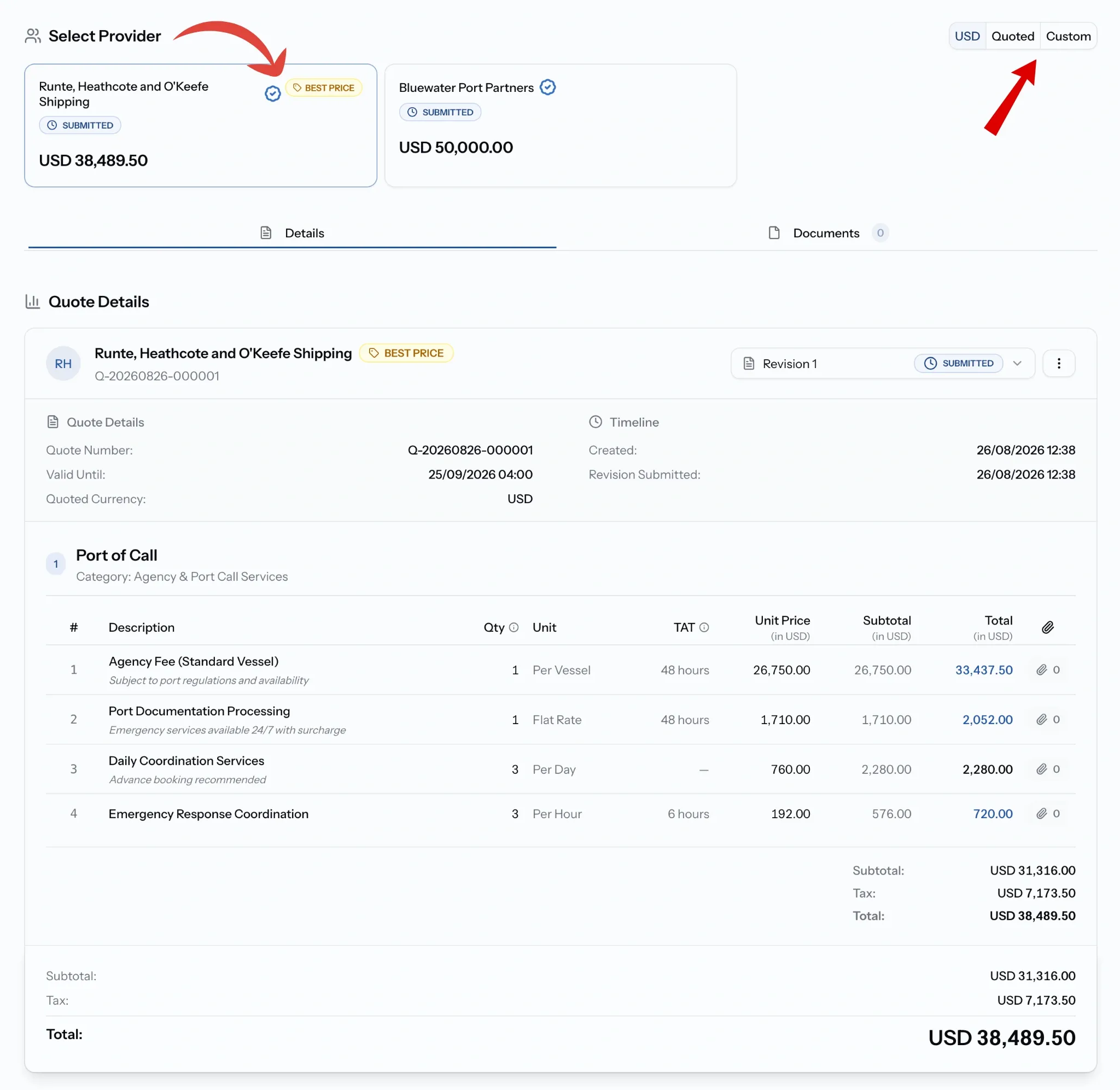
Select Provider at the top lists every quote you have received, each showing the company, whether they are verified, their current status, and their total. The lowest is marked BEST PRICE, though price is rarely the only thing you are weighing.
The USD, Quoted, Custom toggle in the corner is what makes the comparison fair. Quoted shows each quote in the currency its provider used; USD or a custom currency restates them all on the same terms.
What is on each quote
Open one and you get its number, validity date, and quoted currency, a Timeline showing when it arrived and when any revision followed, and the line items in full, service by service.
Where a provider has revised, the revision selector moves between versions. A Documents tab holds anything attached, including a proforma disbursement account if the provider generated one.
The subtotal, tax, and total stay pinned at the foot of the page as you scroll.
If you are requesting the service
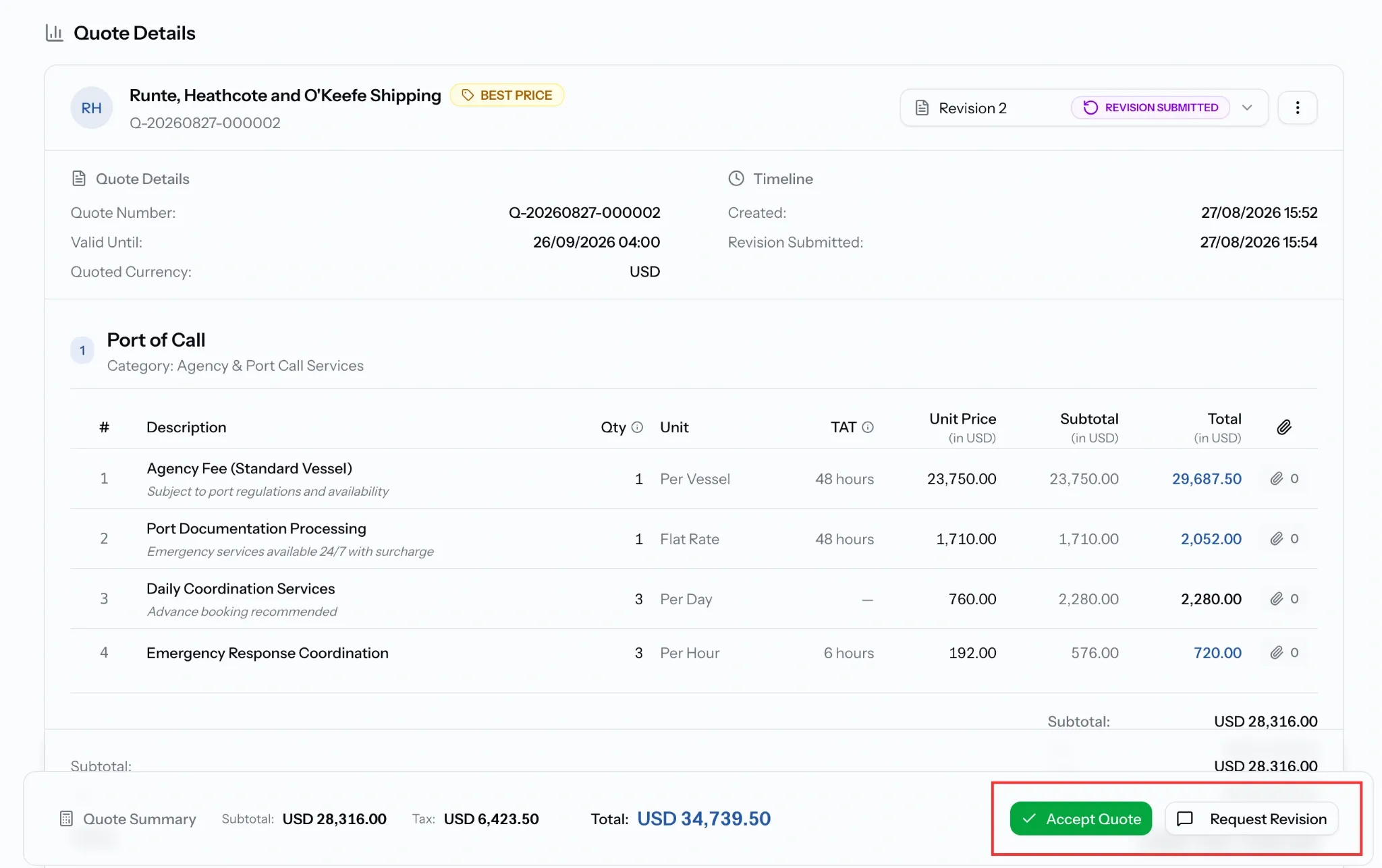
Two actions sit together at the foot of the quote.
Accept Quote takes it. The request becomes a job, every quoted line carries into its disbursement account, and the currency and exchange rate lock at that moment. Every other quote on the request closes as superseded and its provider is notified.
Request Revision keeps the conversation open instead. Use it whenever a quote is close but not right, since rejecting ends it. See Quotations & Revisions.
You can also reject a quote outright, with a reason the provider receives.
If you are providing the service
You find out either way. An accepted quote appears as a job under Servicing, already carrying your line items into its disbursement account. A rejected one tells you, and carries the buyer's reason if they gave one.
If someone else won, your quote closes as superseded. Nothing further is expected from you, and the request itself moves to Job Created.
Common issues
I cannot accept a quote
Accepting needs the Admin, Manager, or Finance role.
The totals look different from what I expected
Check the currency toggle. Quoted shows each quote in its own currency, which is not a like-for-like comparison.
A quote expired before I decided
Quotes carry their own validity date, separate from the request deadline. Ask the provider to resubmit.
My quote says superseded
Either a later revision replaced it, or the buyer accepted another provider's quote.