
Quotations & Revisions
Quotes on PortzApp are structured, not free text. Providers respond with line items, quantities, taxes, and totals in a chosen currency, and buyers compare every quote in the same format before accepting.
FOR BUYERS & PROVIDERS
Providers create, submit, and revise quotations. Buyers review them and request revisions. Submitting or revising a quote needs company verification and the Admin, Manager, or Finance role; requesting a revision needs the same three roles on the buyer's side.
Key takeaways
- Line items prefill from your tariffs for that port, so quoting is editing rather than typing from scratch.
- The quote currency locks the moment it is submitted, and every revision keeps it.
- Every quote carries a validity date, anywhere from one day to a year.
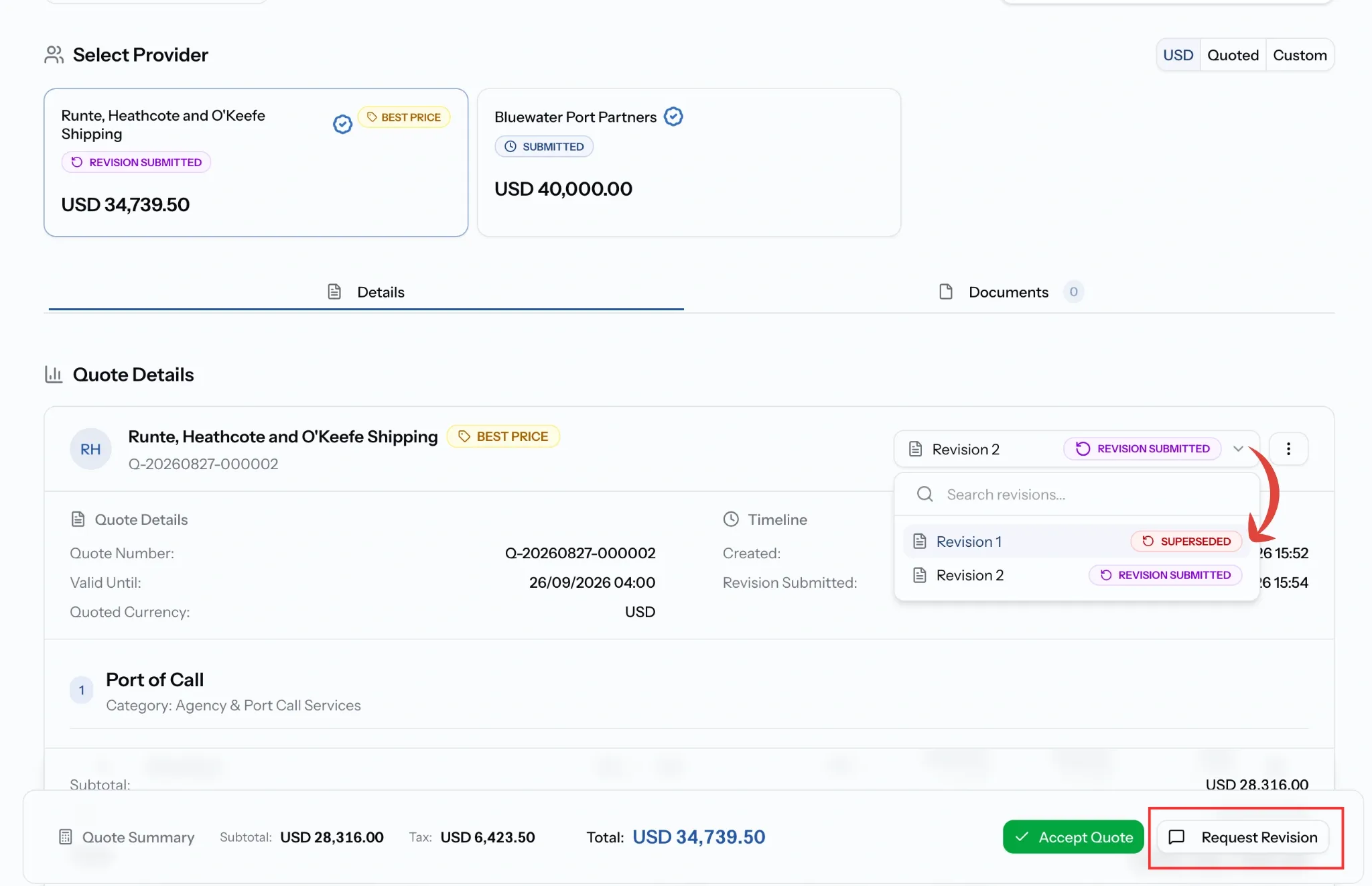
- A revision replaces the version before it, but the earlier ones stay readable.
Where to find it
Providers quote from a request in their Inbox or from Open RFQs. Buyers review quotes on the request itself, under Requests, Sent.
If you are providing the service
Two things are set before you price anything.
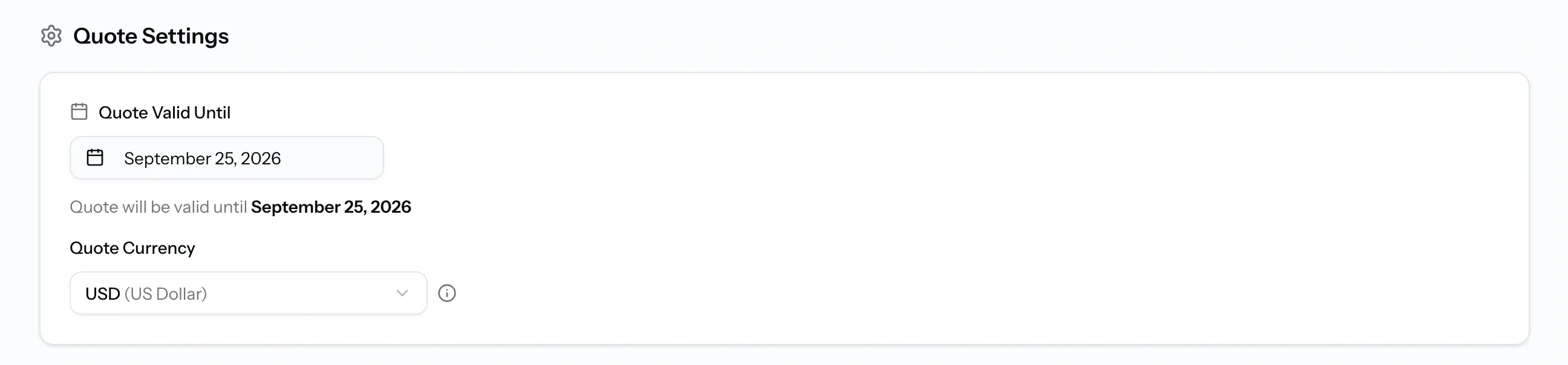
Quote Valid Until is how long your price stands, anywhere from a day to a year. Quote Currency is the transaction currency, and it locks when you submit, so neither side's numbers drift afterwards. Any revision keeps it.
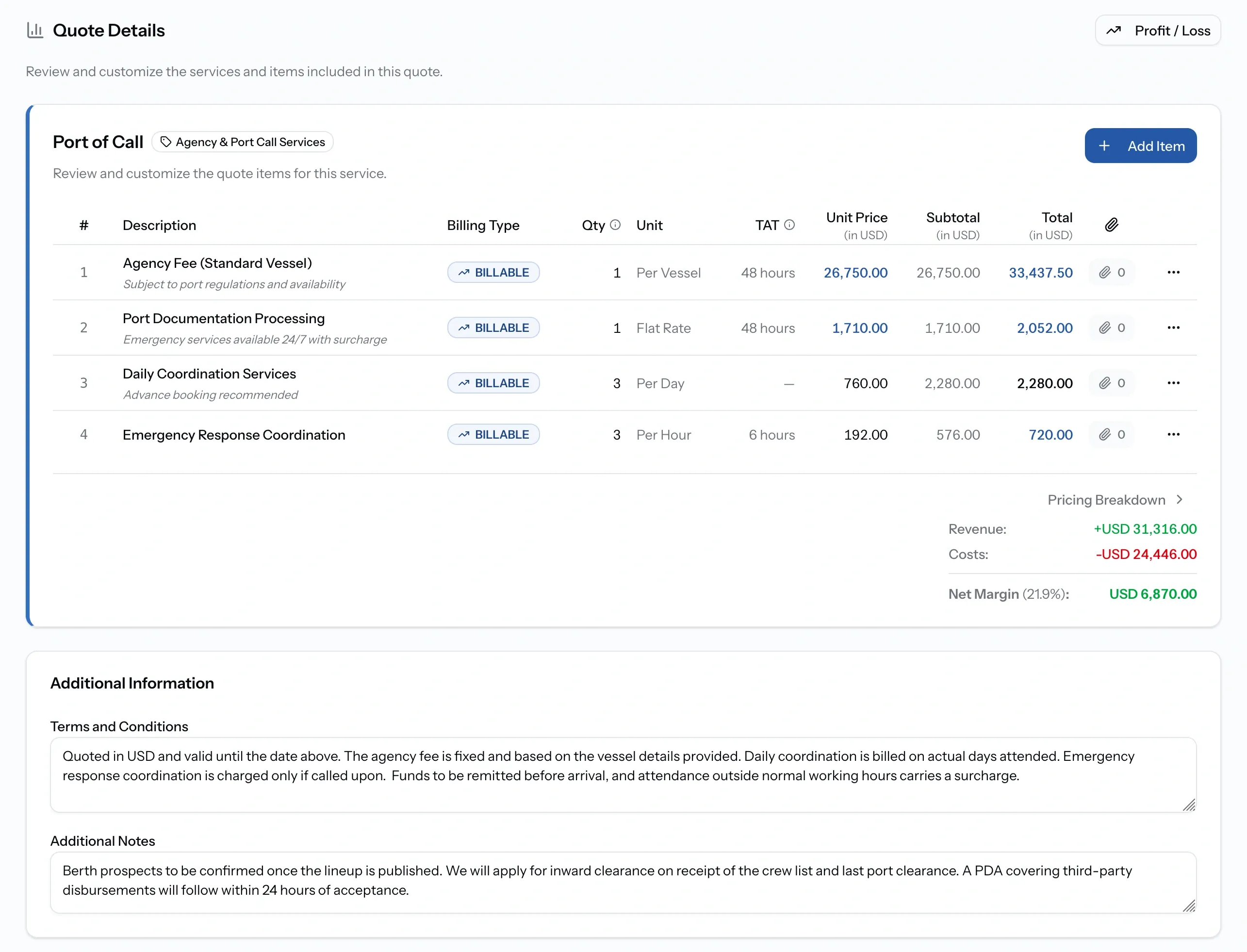
The quote is then built service by service. Each line carries a description, billing type, quantity and unit, turnaround time shown as TAT, unit price, tax, and its total.
Items prefill from your tariffs for that port, falling back to your defaults, and each line shows where its price came from. Where no tariff exists, add the items by hand. You can attach a file to an individual line, and your revenue, costs, and net margin sit under each service, with Profit / Loss for the fuller picture.
Terms and conditions and additional notes go at the end, then Submit Quote sends it.
If you are requesting the service
When a quote is close but not right, ask for a revision rather than rejecting it. Say what needs to change in the notes, since that is what the provider works from.
The provider submits an updated version, and you compare it against the one before. Every version stays readable, so a disagreement about what was quoted when has an answer.
Requesting a revision does not restart the request or reopen it to anyone else. It is a conversation with that provider alone.
How a revision works
The provider builds the new version on the last one rather than from scratch, so unchanged lines stay as they were. The currency cannot change, since it locked at first submission.
There is no limit to how many rounds you go, but each one costs time against the request's deadline, which keeps running throughout.
Quote statuses
Common issues
Exchange rate required
An item is priced in a currency with no rate to the quote currency. Set a custom rate under Settings, Currency, or change the item's currency.
Nothing prefilled for a service
No tariff is configured for that service at that port. Add the items by hand, then consider saving them as tariffs so next time is faster.
I cannot submit the quote
Submitting needs the Admin, Manager, or Finance role, and your company must be verified.
The request is no longer accepting quotes
A request stops taking quotes once it has been cancelled, has expired, or has already become a job.