Port Call Management
A port call tracks one vessel's visit to one port, from planning through departure. It holds the schedule, the current status, and every request and job connected to that visit.
FOR BUYERS & PROVIDERS
Port calls are created for you when a request names a vessel and a port from the catalogue. Both organizations working the visit see the same record and can record updates on it.
Key takeaways
- Port calls are created for you when a request names a vessel and a port from the catalogue. ETA and ETD are optional.
- Thirty-four statuses, grouped into four phases, cover a visit from planning to departure.
- ETA and ETD are held in port local time, so nobody converts time zones by hand.
- Every request and job for the visit is linked to the port call, with a single activity feed across them.
Where port calls come from
Publish a request naming a vessel and a port from the catalogue, and PortzApp creates the port call for you, or attaches the request to an existing one for the same vessel and port. ETA and ETD simply fill in the schedule when you provide them.
A request without a vessel does not create one, and neither does a request using a port you typed in yourself, since that needs a catalogue port.
You can also start a new request from an existing port call, which keeps repeat services at the same visit under one record.
Phases and statuses
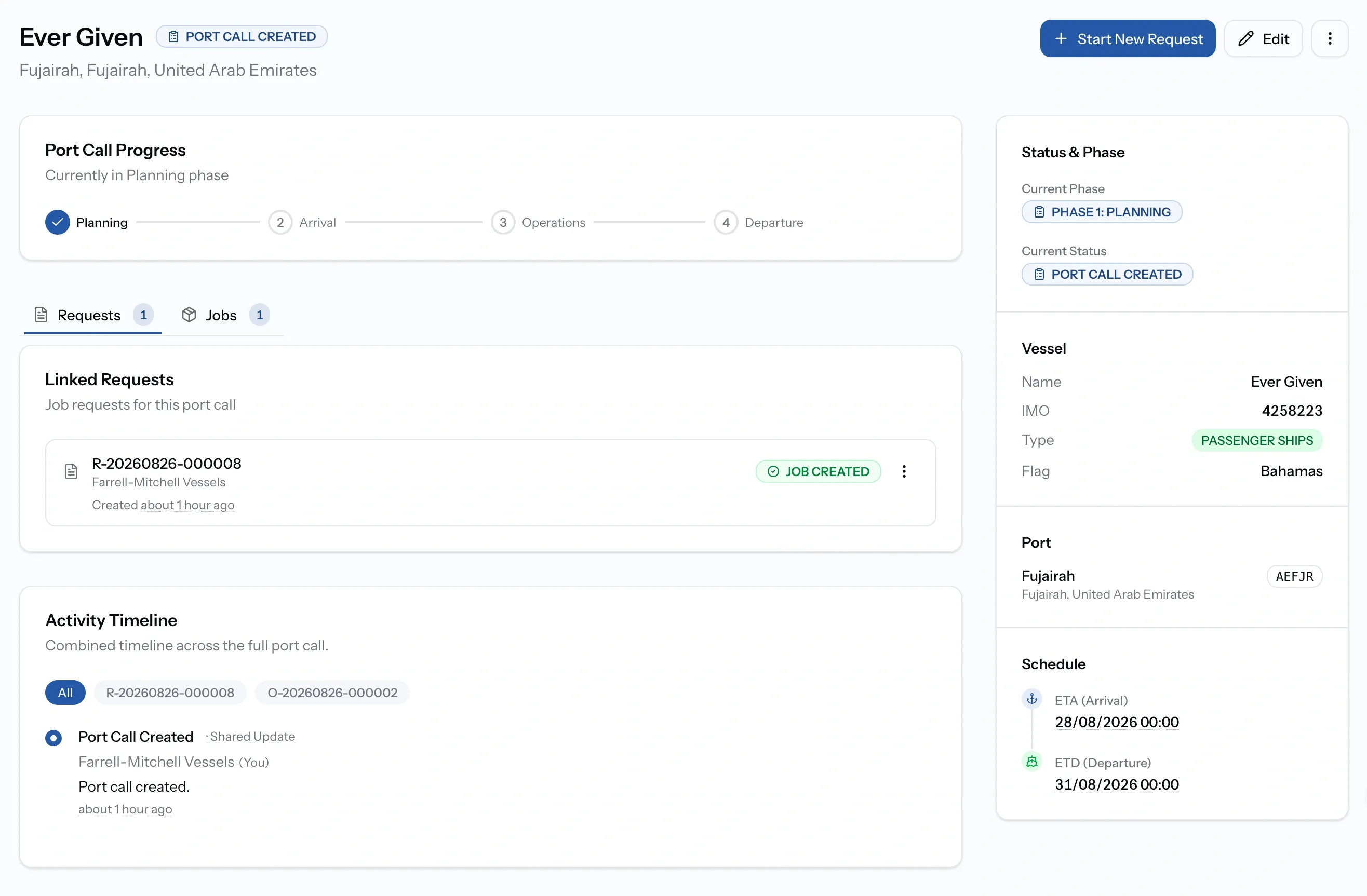
Update the status as the visit progresses. You do not have to record every step, only the ones that matter to your operation. Each change is logged with who made it and when.
The four phases
Thirty-four statuses, grouped by where the vessel is in its visit.
Linked requests and jobs
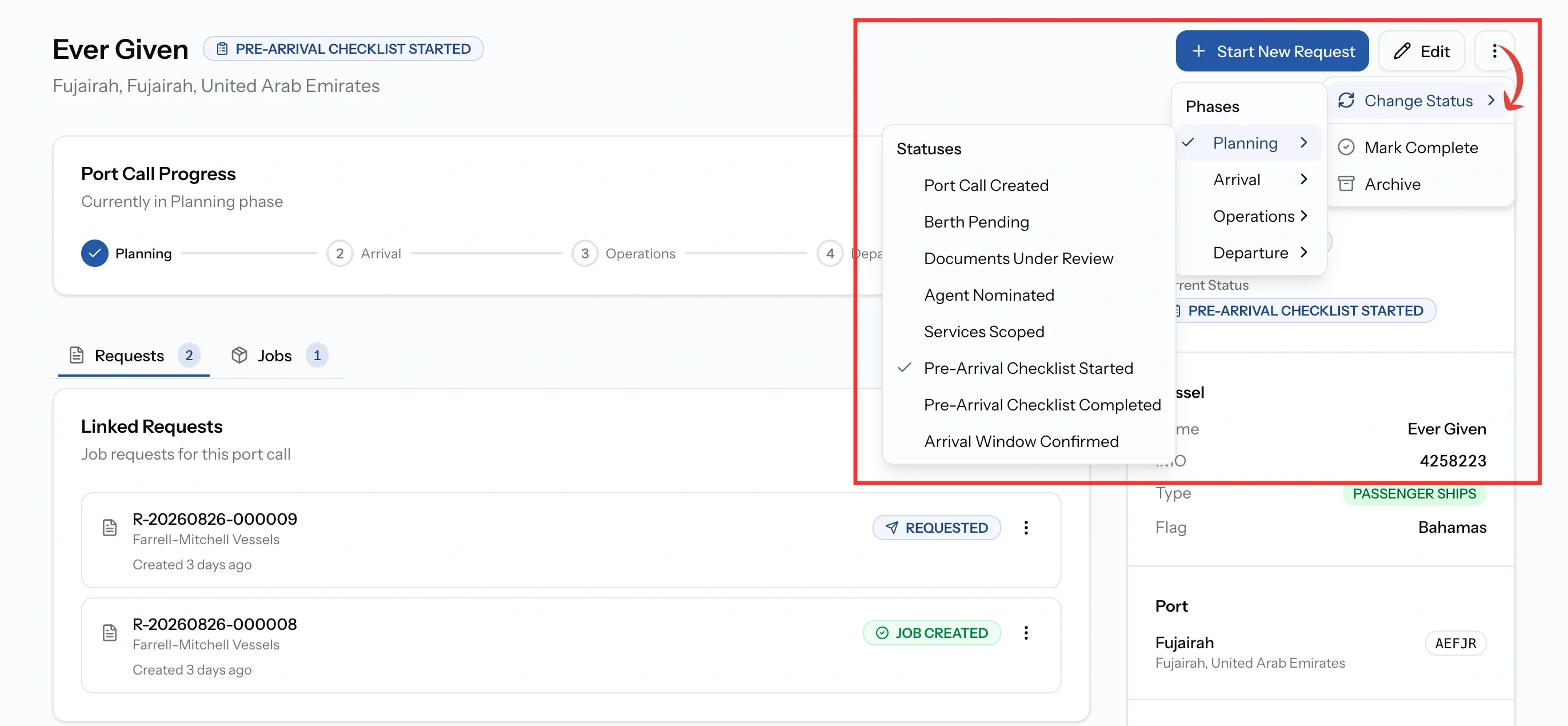
Everything for the visit gathers here. Linked Items lists the requests and the jobs, and the activity feed merges their updates with the port call's own status history, so a visit involving three providers reads as one story. Filter the feed to a single request or job when a busy call gets noisy.
This is not the same as the Timeline tab inside a job. That one records approvals and changes to the disbursement account. This one records what happened to the vessel.
The port call timeline
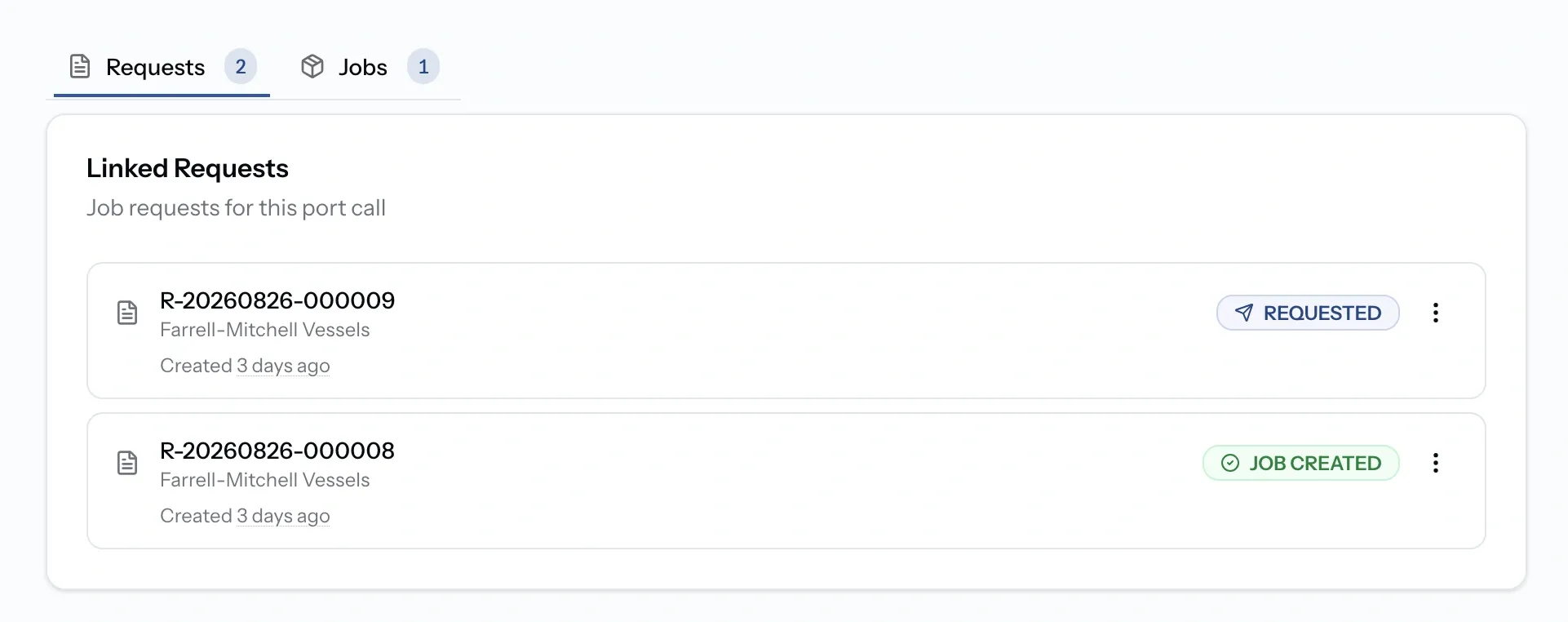
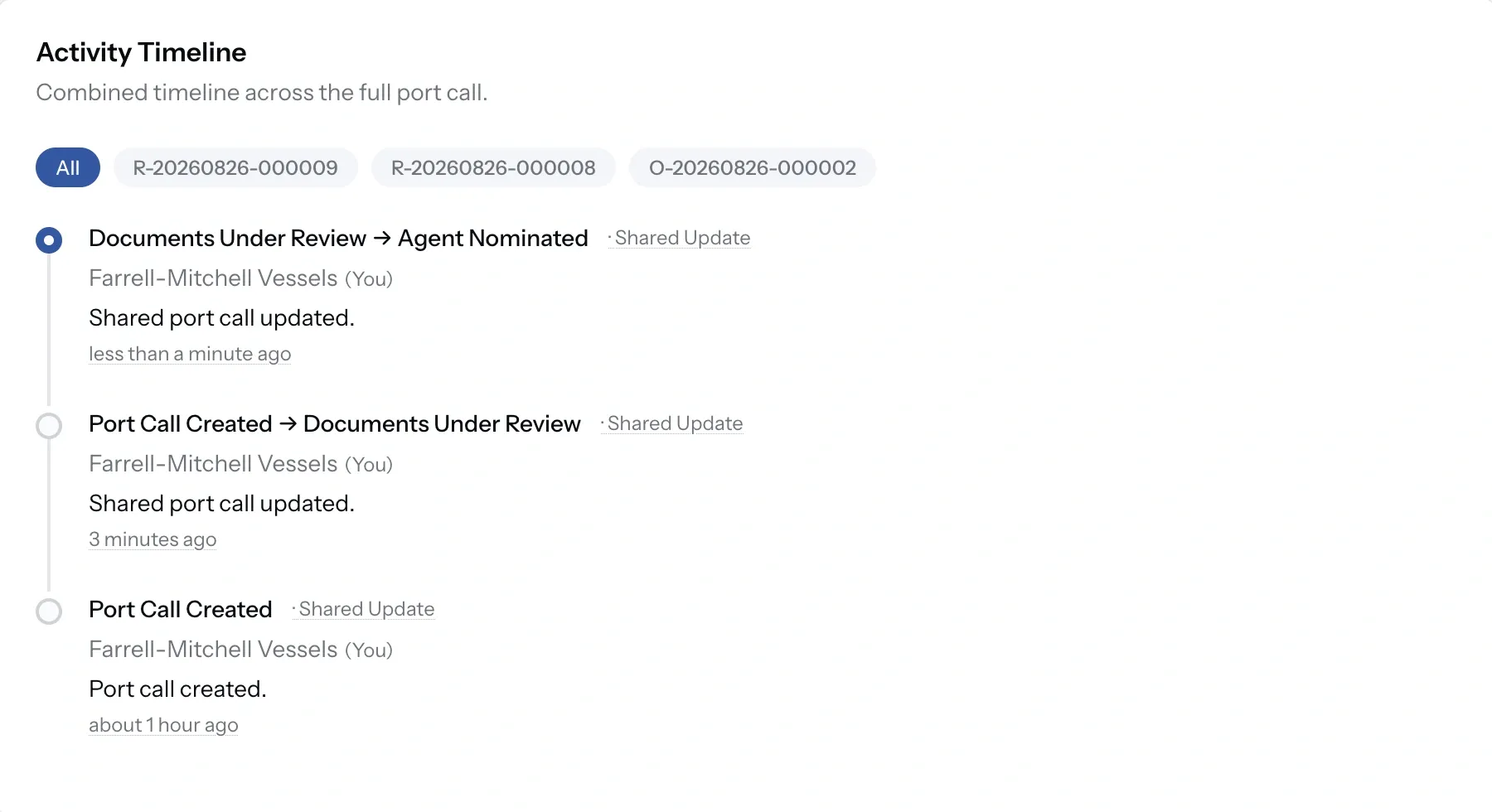
Alongside the linked items, the port call keeps its own timeline. Entries read as status transitions, one status to the next, each naming the organization that made the change and marked as a shared update so everyone working the visit sees it.
This is not the same as the Timeline tab inside a job. That one records approvals and changes to the disbursement account. This one records what happened to the vessel.
Completing and archiving
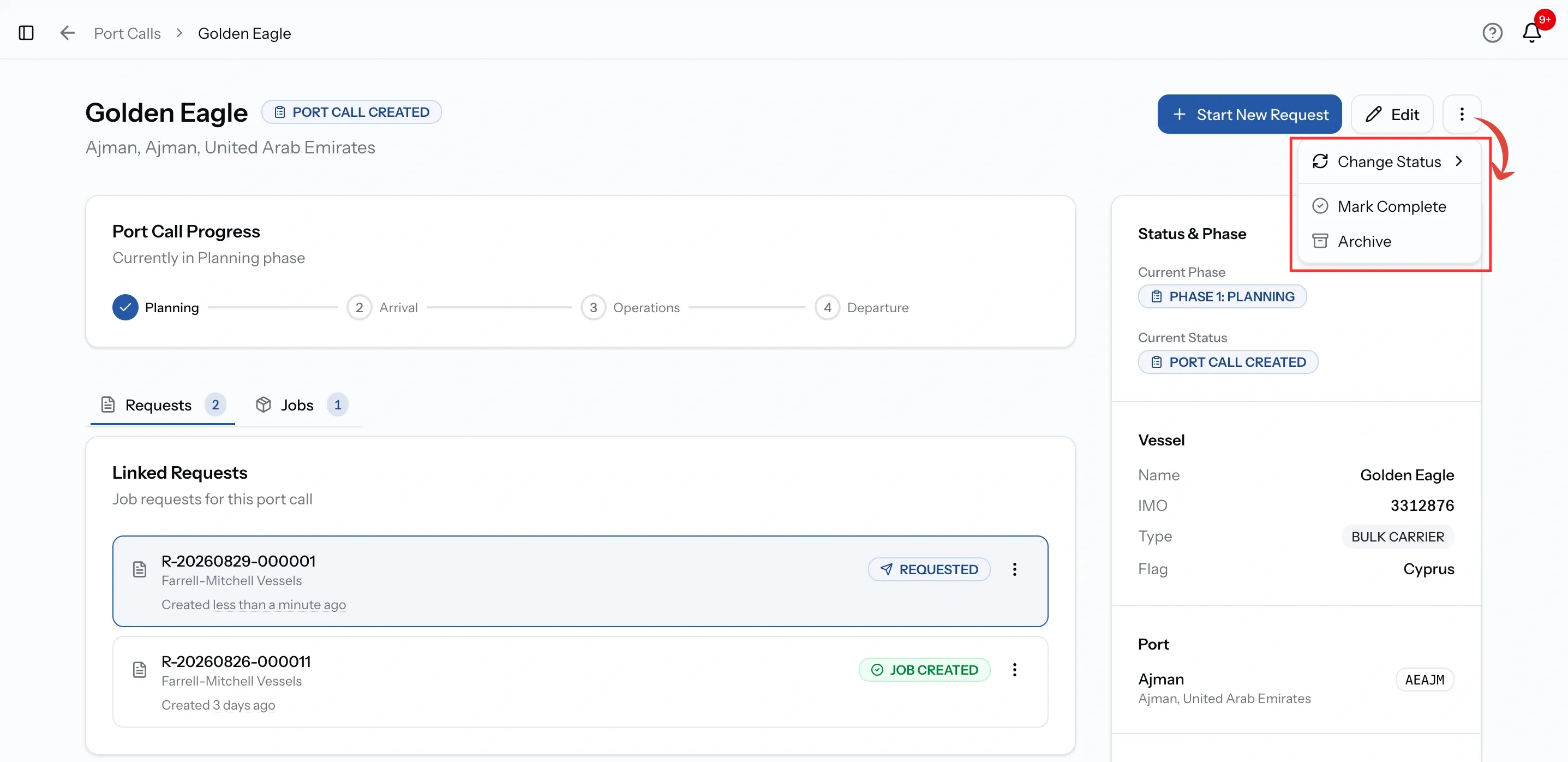
When the vessel has sailed and the work is done, choose Mark Complete. Completed calls stay in your history.
Archive moves one out of the active list without deleting anything, and archived calls can be brought back at any time. Both sit in the port call's menu, alongside Change Status.
Common issues
No port call was created for my request
A port call needs both a vessel and a port chosen from the catalogue. Requests without a vessel, or using a port you typed in by name, do not create one.
The times look wrong
ETA and ETD are shown in port local time, not your own time zone.
I cannot find a port call I finished
Check the Completed and Archived tabs. Completing keeps it in history; archiving moves it out of the active list.