
Profile Claiming
PortzApp prepares directory pages for real maritime companies before they join. If one of them is yours, claiming connects it to your organization and keeps everything already on it.
FOR BUYERS & PROVIDERS
Any organization can claim a page prepared for it. Claiming is faster than building a second profile and keeps the existing page's history.
Key takeaways
- If a directory page describes your company, claim it rather than starting a new one.
- Before the page becomes yours, you review it field by field and choose what carries across.
- Your members, billing, jobs, and history are untouched by a claim.
Where to find it
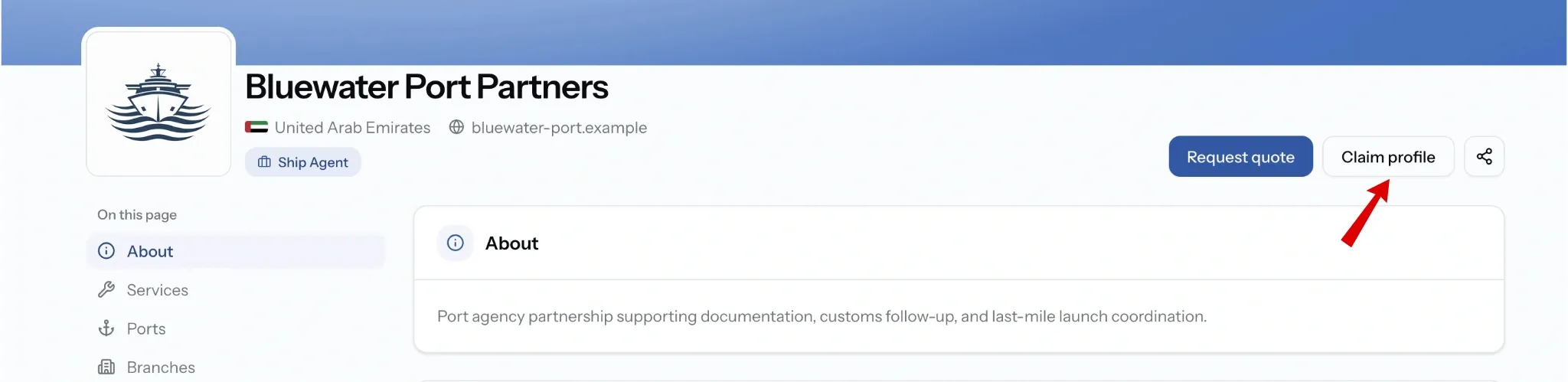
Open the company page in the directory and choose Claim profile. The prompt at the top of profile setup, "Your company may already be listed", leads to the same place.
After you claim
Your claim page tracks the process and opens each step as it becomes available.
- PortzApp may ask for more information. Update the claim with what they have requested, then resubmit.
- Your company must be verified. If it is not, the claim sits at Awaiting verification until you complete it. See Company Verification.
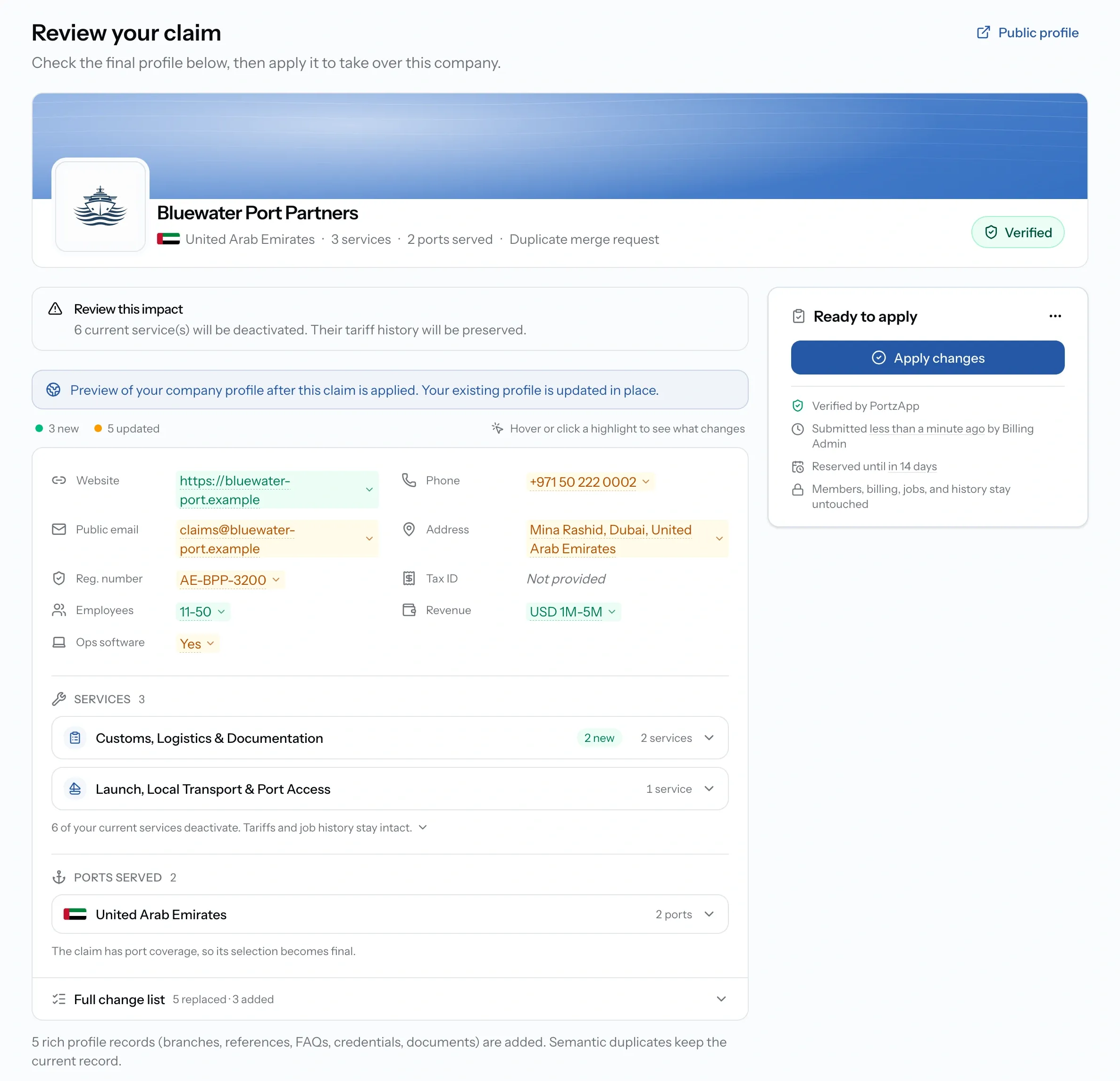
- You review the profile before taking it over. PortzApp previews your existing profile with the claim merged in, marking what is new and what is updated. Check the impact notice, since some current services may deactivate, though their tariffs and job history are kept.
- Apply it and the page is yours. The claim keeps a before-and-after record of what you applied.
You can cancel a claim raised by mistake, and a claim that is turned down can be submitted again with better supporting information.
Claim statuses
Common issues
Someone else has claimed our company page
Claims are reviewed by hand. Contact PortzApp support and the team will resolve it.
There are two pages for my company
Duplicates are reviewed and merged by the PortzApp team. Raise it through support rather than building a third.