
Company Verification
Verification confirms your organization is real. It is a one-off document review, and it is what unlocks quoting and publishing on both sides of the marketplace.
FOR BUYERS & PROVIDERS
Verification is not only for providers. Buyers cannot publish a request until their company is verified either, so both sides go through the same review.
Key takeaways
- One step: confirm your company name, then upload the document that suits your country.
- Your workspace updates on its own once the review is complete.
- Verification unlocks publishing requests, placing quotes, publishing your profile, and the Verified badge.
- You can build everything while you wait. Only publishing and quoting are held back
Where to find it
Verification is offered from your setup checklist. It also appears wherever it is required, as a banner on the request you are trying to publish or the inbox you are trying to quote from.
Submitting your document
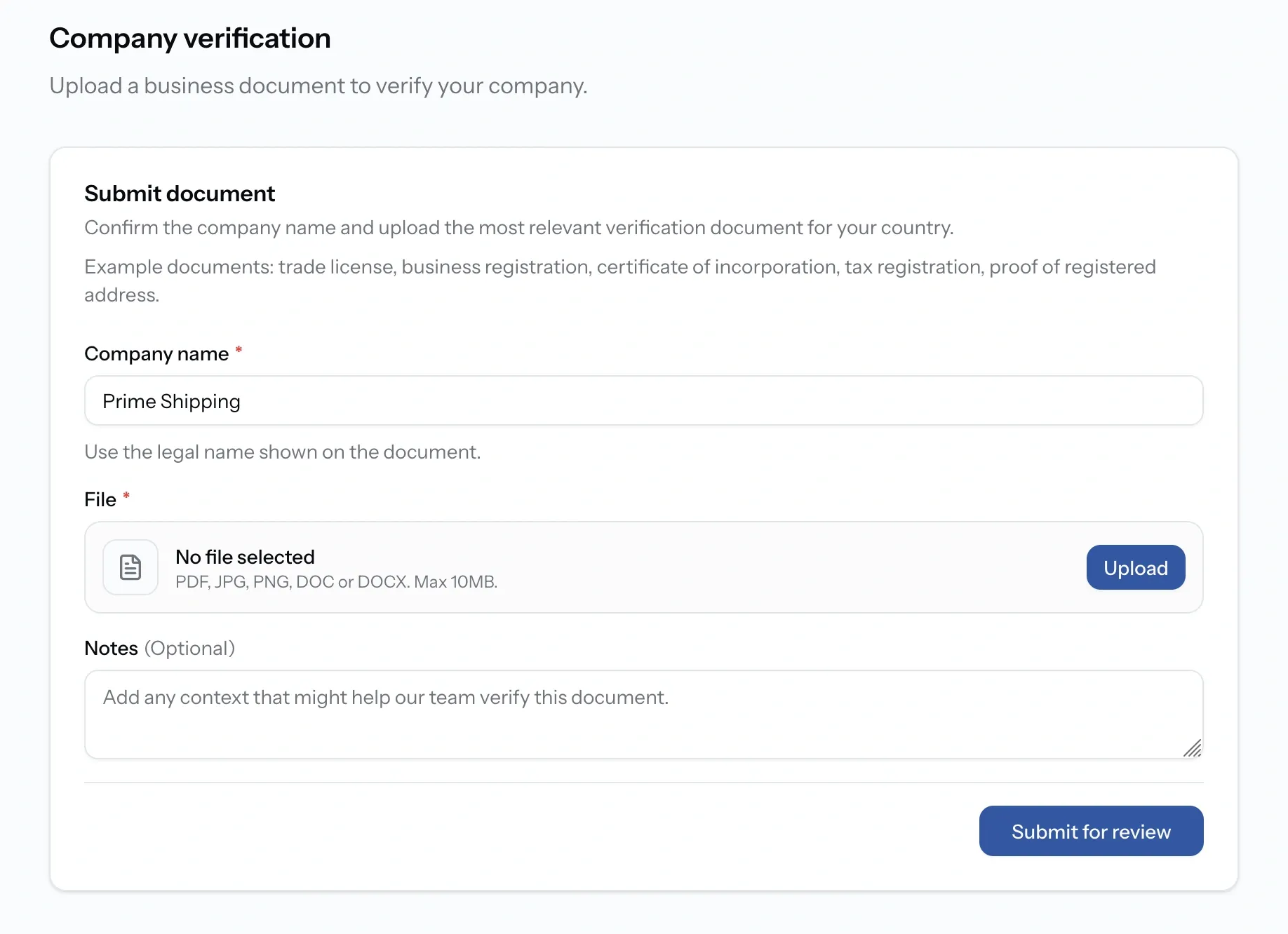
Confirm your company name, then choose the document type that suits your country:
- Trade license or business registration
- Certificate of incorporation
- Tax registration certificate
- Proof of registered address
Any one of them is enough, as long as it shows the legal company name you confirmed. PortzApp reviews it and updates your workspace when the check is complete, so there is nothing to chase once you have submitted.
Review statuses
What verification unlocks
- Publish requests, rather than only saving them as drafts.
- Place quotes on requests that reach you.
- Publish your company profile to the directory.
- The Verified badge on your page and on your card in directory search results.
It also unblocks a claim. A claim on a company page sits at Awaiting verification until your organization is approved.
What you can do while you wait
Everything except publishing and quoting. Build your company profile, set up services and port coverage or your fleet, add vessels, invite your team, and prepare requests as drafts. The moment verification is approved, all of it goes live without being rebuilt.
Common issues
Verification came back as changes requested
Open the notes on your verification. They explain what PortzApp needs changed, whether that is a clearer document, a different one, or a correction to the details you submitted.
I cannot publish my request
Publishing requires verification. Save the request as a draft and publish it once your company is approved.
I cannot place a quote
Quoting requires verification, and the Admin, Manager, or Finance role.
My claim says awaiting verification
The claim is waiting on this review rather than on anything else. Complete verification and it moves on.