
Tariff Management
Tariff items are your price list. Each service carries standard rates that every port uses, and any port that prices differently can be given its own set without touching the rest.
FOR PROVIDERS
Tariffs belong to organizations that offer port services, since only they hold a catalog to price: agents, suppliers, service providers, brokers, freight forwarders, and vendors. They sit on the Tariff Items tab of each service. Adding and editing them needs the Admin, Manager, or Finance role, and Operations and Viewer cannot see pricing anywhere in PortzApp.
Key takeaways
- Each service has one set of default rates, used by every port it runs at.
- A port that prices differently can be customized, and everything else stays on the defaults.
- Items are billable or non-billable, which decides whether the buyer ever sees them.
- Nothing here is sent to a buyer. Tariffs are the starting point for a quote, not the quote.
Pricing you set once
Every service carries a list of tariff items: the individual lines you would put on a quote, priced the way you actually charge for them.
They exist so quoting is not retyping. A request comes in, the services you offer are already priced, and the quote is assembled from lines that already exist.
Nothing on this tab is visible to a buyer. Tariffs are your own price list, and what reaches a buyer is the quote you build from it.
What sits on a tariff item
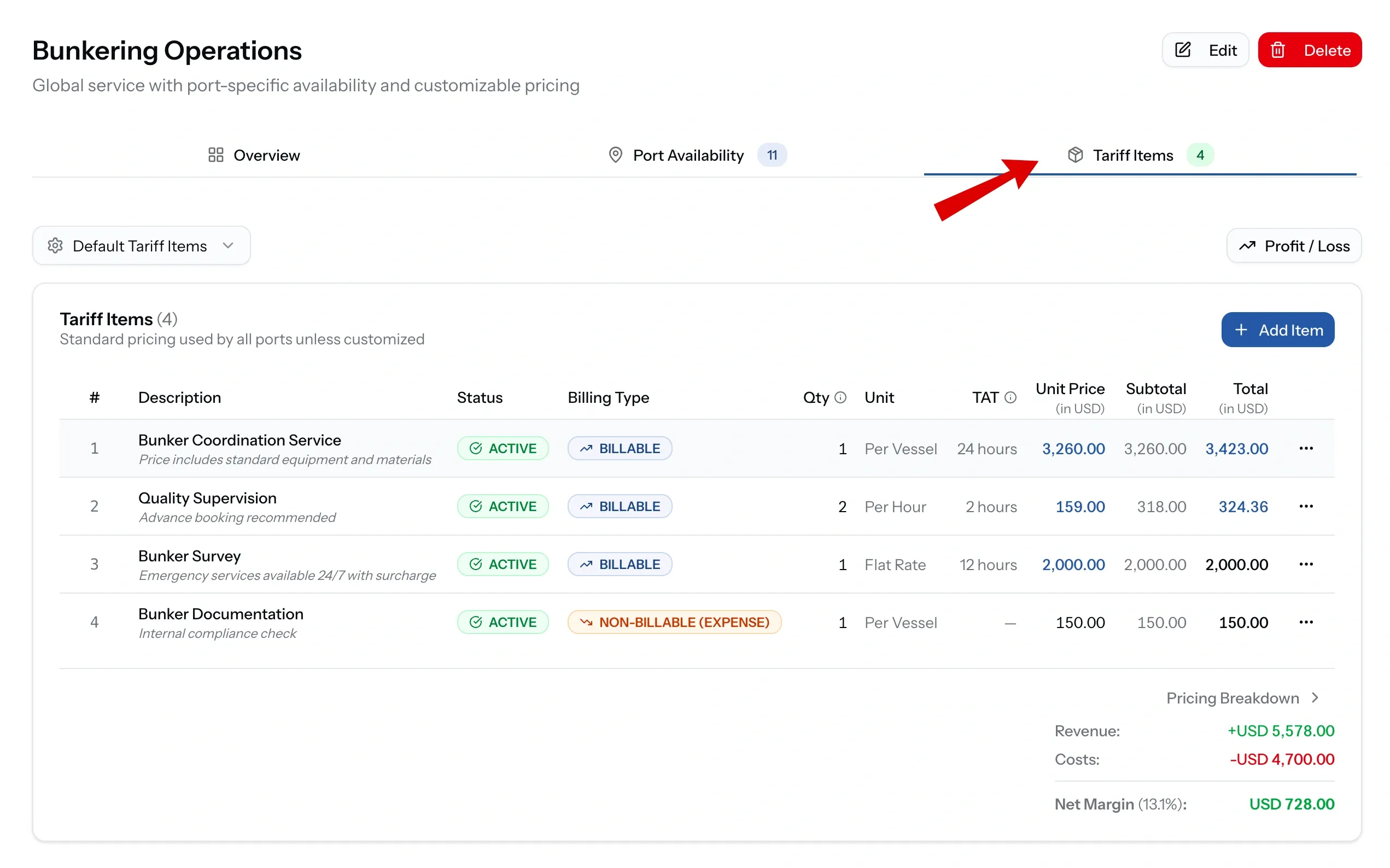
An item is a description, a unit, a quantity, and a price, plus the details that make it usable months later.
Currency is set per item, so a service priced in one currency and a fee collected in another can live side by side. Turnaround time records how long the work takes. Item number fixes the order lines appear in. Tax percentage and notes carry the rest.
Items can be made Inactive rather than deleted, which keeps them out of new quotes while leaving the history intact.
Billable and non-billable
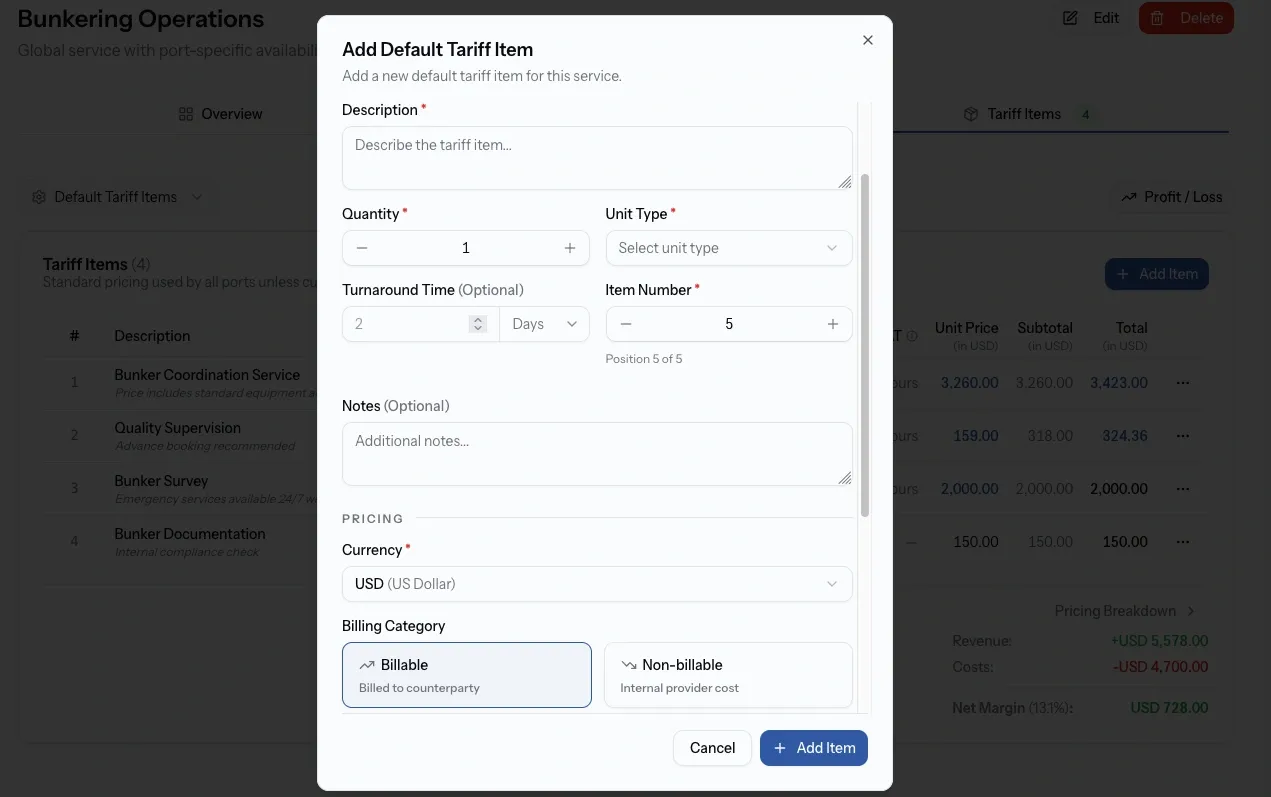
Every item is one of two things, and the distinction runs all the way through to the disbursement account.
Billable items are charged to the counterparty. They appear on quotes and on the documents the buyer receives.
Non-billable items are internal, split into revenue for income you receive and expense for cost you incur. They let you keep a true picture of a job's economics without putting those lines in front of the client.
Cost, selling price, and markup
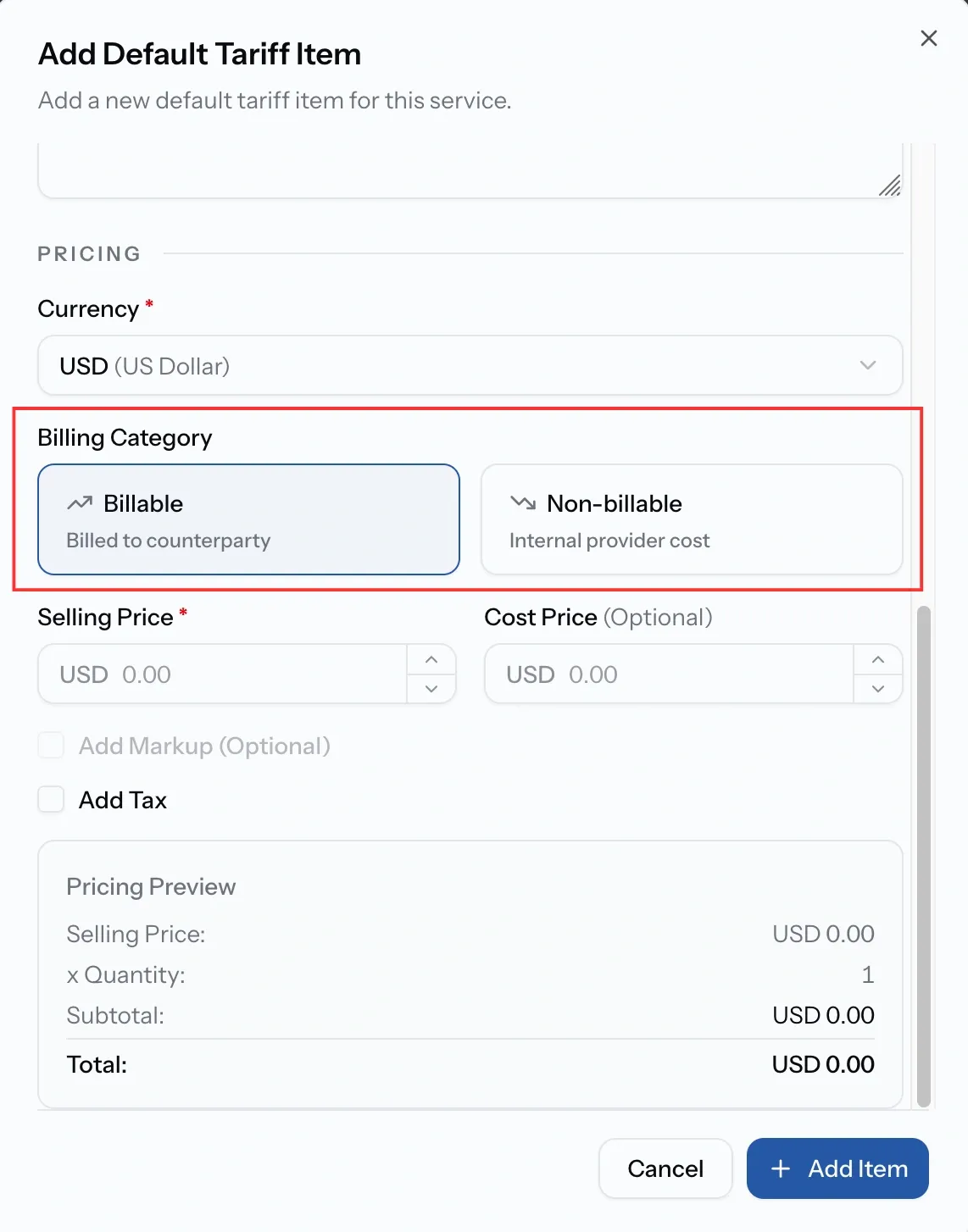
A billable item takes a selling price, which is what the buyer is charged, and optionally a cost price, which is what it costs you.
Recording both is what makes margin visible on a job rather than something worked out afterwards. With a cost price in place, a markup can be added as either a percentage or a fixed amount, and the selling price follows from it.
Currency sits on the item, not the service, so one tariff can hold a bunker line in USD and a local port fee in AED without splitting the service in two. Conversion happens when a line is used: each job runs in a single document currency, and anything priced differently is converted as it is added, showing both the original amount and the converted one. The rates come from your organization's currency settings, following the market unless you have set a custom rate for a pair.
Cost prices and margins never leave your organization.
Standard rates, and rates per port
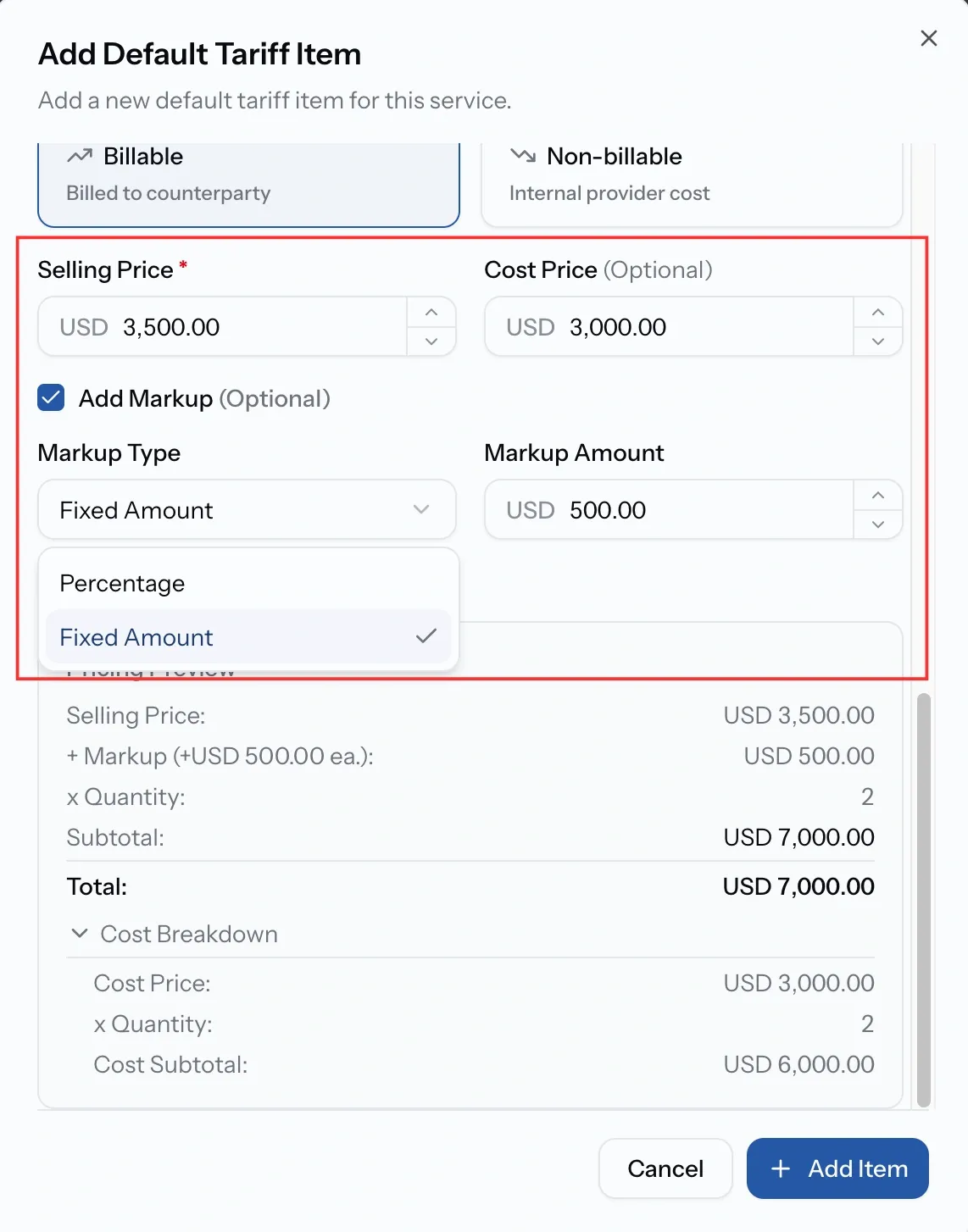
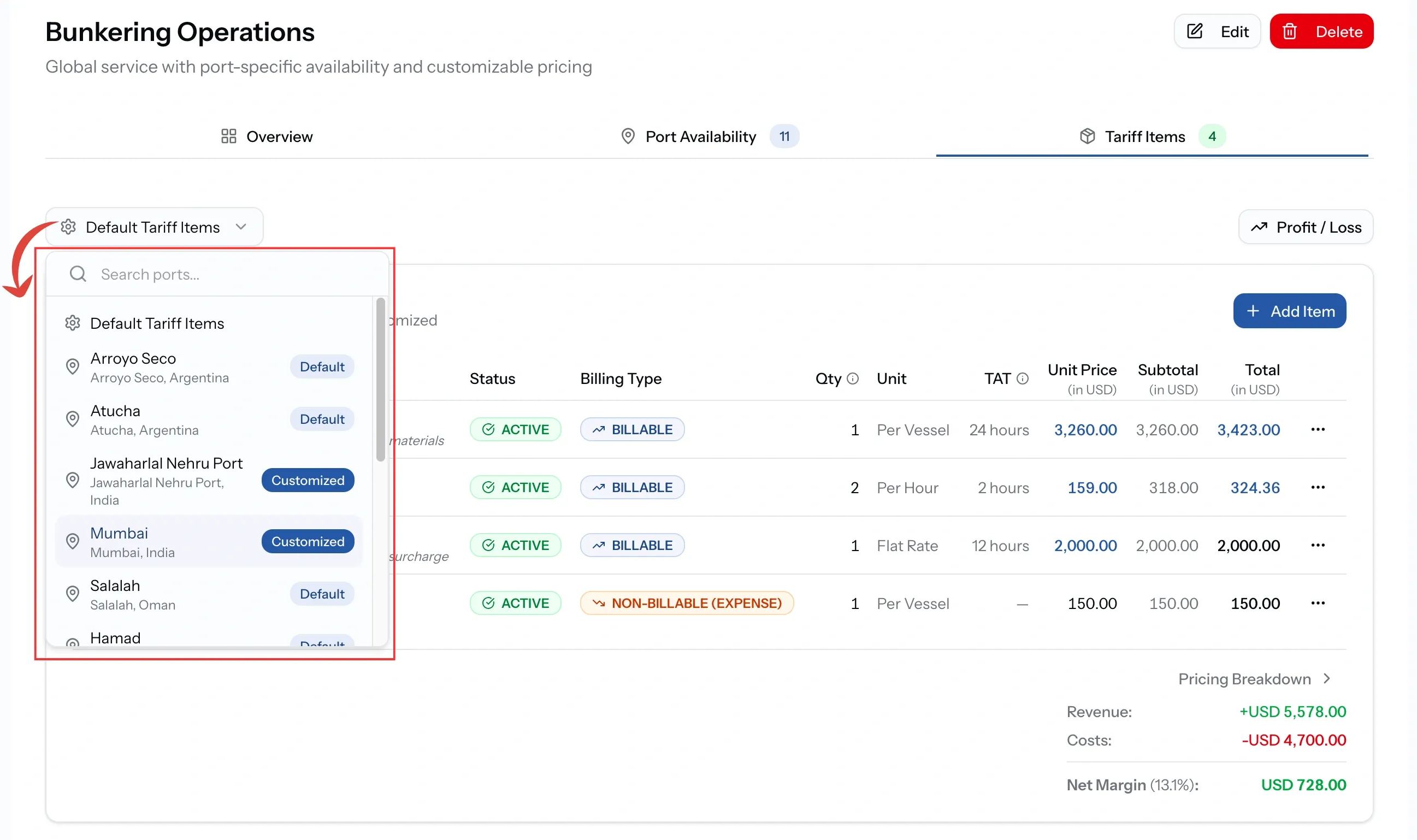
Pricing has two layers, chosen from the port selector on the Tariff Items tab.
Default is the standard pricing used by every port the service runs at. For most providers this is the only layer that matters.
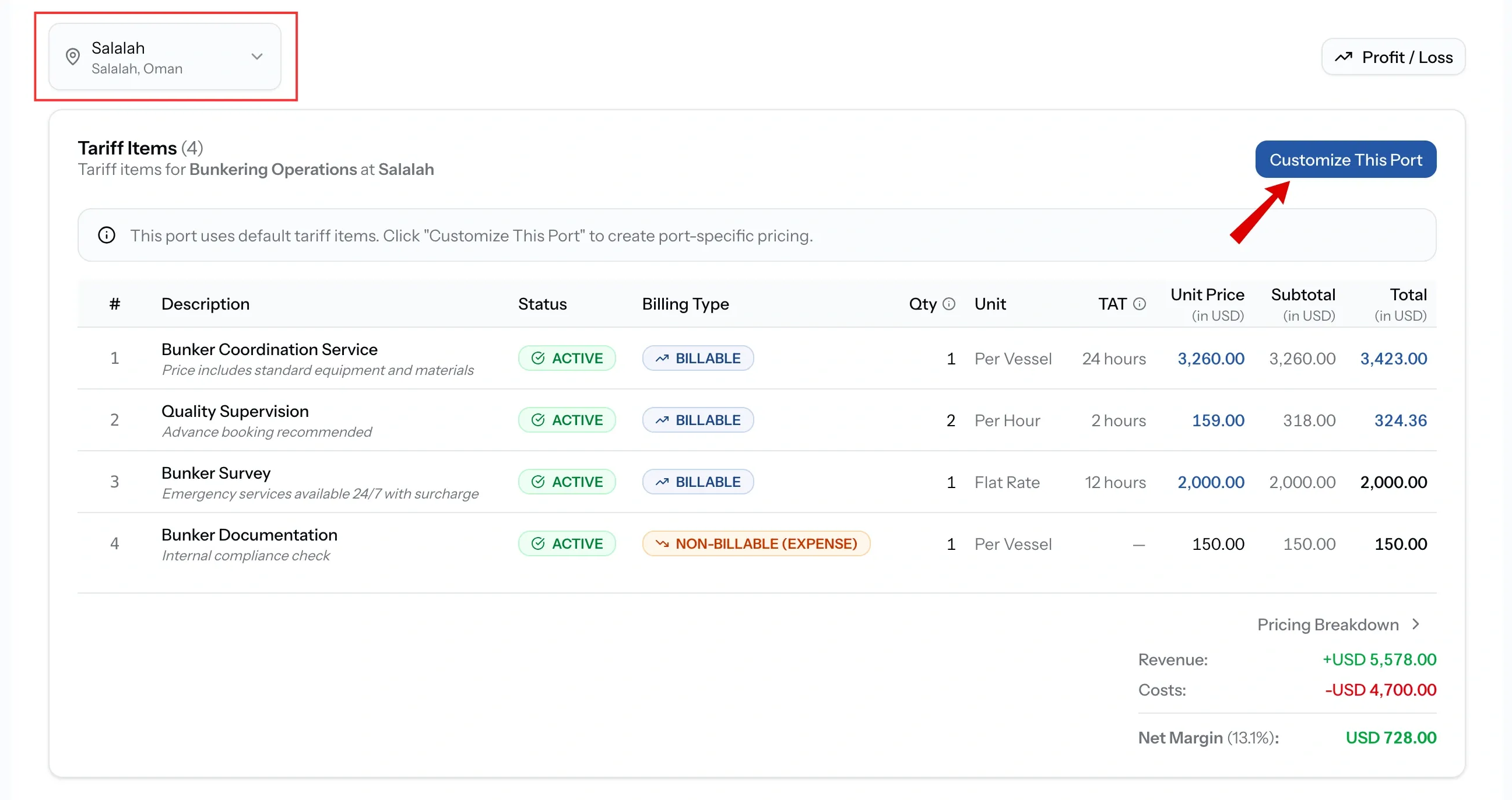
A named port shows what that port actually charges. Until it is customized, that is the default list, shown for reference.
When a port prices differently
Customize This Port copies the current active defaults into a set belonging to that port alone. From then on the two are independent: editing the port's rates leaves the defaults alone, and editing the defaults no longer reaches that port.
That independence is the point, and it is also the thing to watch. A port raised out of the defaults will not pick up later changes to them.
Reverting deletes the port's own items and returns it to the defaults, so a customization you no longer need is undone rather than
Who sees your pricing
Within your own organization, Admins, Managers, Finance, and CEOs can see pricing. Operations and Viewer cannot see it anywhere, including tariff items, which lets operational staff run services without access to what they cost.
Outside it, buyers see On Quote in place of a price. Your tariffs are never published, and what a buyer receives is only ever the quote you choose to send.
Common issues
The Tariff Items tab is empty
Nothing has been priced yet. A service works without tariff items, but every quote is then built from scratch.
I updated my default rates but one port did not change
That port has been customized, so it holds its own rates. Edit it directly, or revert it to the defaults.
Markup is greyed out
Markup is calculated from cost price, so it stays unavailable until one is entered.
An old rate keeps appearing on quotes
The item is still active. Set it Inactive to keep it out of new quotes without losing the history.