
Plans, Seats & Billing
PortzApp has two plans. Standard is free and covers the full commercial cycle for a single user. Pro adds team access, wider reach, and higher visibility, billed per seat.
FOR ORGANIZATION ADMINS
Billing is visible to the Admin, CEO, and Finance roles, and only Admin and CEO can change anything. Find it under Settings, then Billing.
Key takeaways
- Standard is free and covers the full working cycle for one user.
- Pro is priced per user per month, billed monthly or yearly.
- Seats are people. Each account in your organization uses one.
Two plans
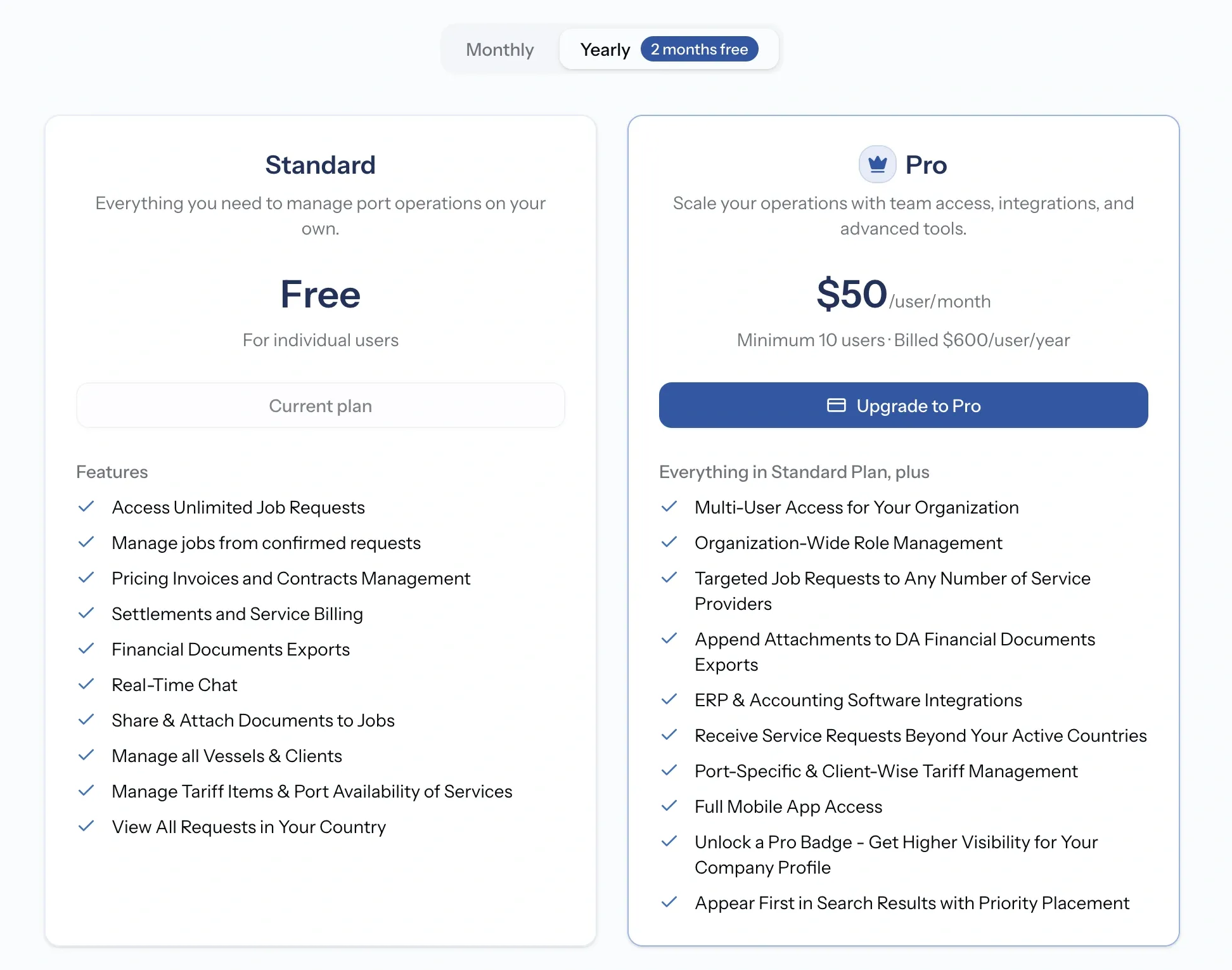
Standard is free and is not a trial. It carries the whole working cycle: unlimited job requests, jobs from confirmed requests, pricing and contracts, settlements and billing, financial document exports, chat, document sharing, vessels and clients, and tariff items with port availability. Requests in your own country are visible to you.
Pro is where an organization stops being one person. It is priced per user per month and can be billed monthly or annually, with the annual rate lower. Current pricing is on the pricing page rather than here, so it stays right.
What Standard includes
- Access unlimited job requests
- Manage jobs from confirmed requests
- Pricing, invoices, and contracts management
- Settlements and service billing
- Financial document exports
- Real-time chat
- Share and attach documents to jobs
- Manage all vessels and clients
- Manage tariff items and port availability of services
- View all requests in your country
What Pro adds
- Multi-user access for your organization
- Organization-wide role management
- Targeted job requests to any number of service providers
- Append attachments to DA financial document exports
- Receive service requests beyond your active countries
- Port-specific and client-wise tariff management
- Full mobile app access
- A Pro badge, for higher visibility on your company profile
- Priority placement, so you appear first in search results
Seats are people
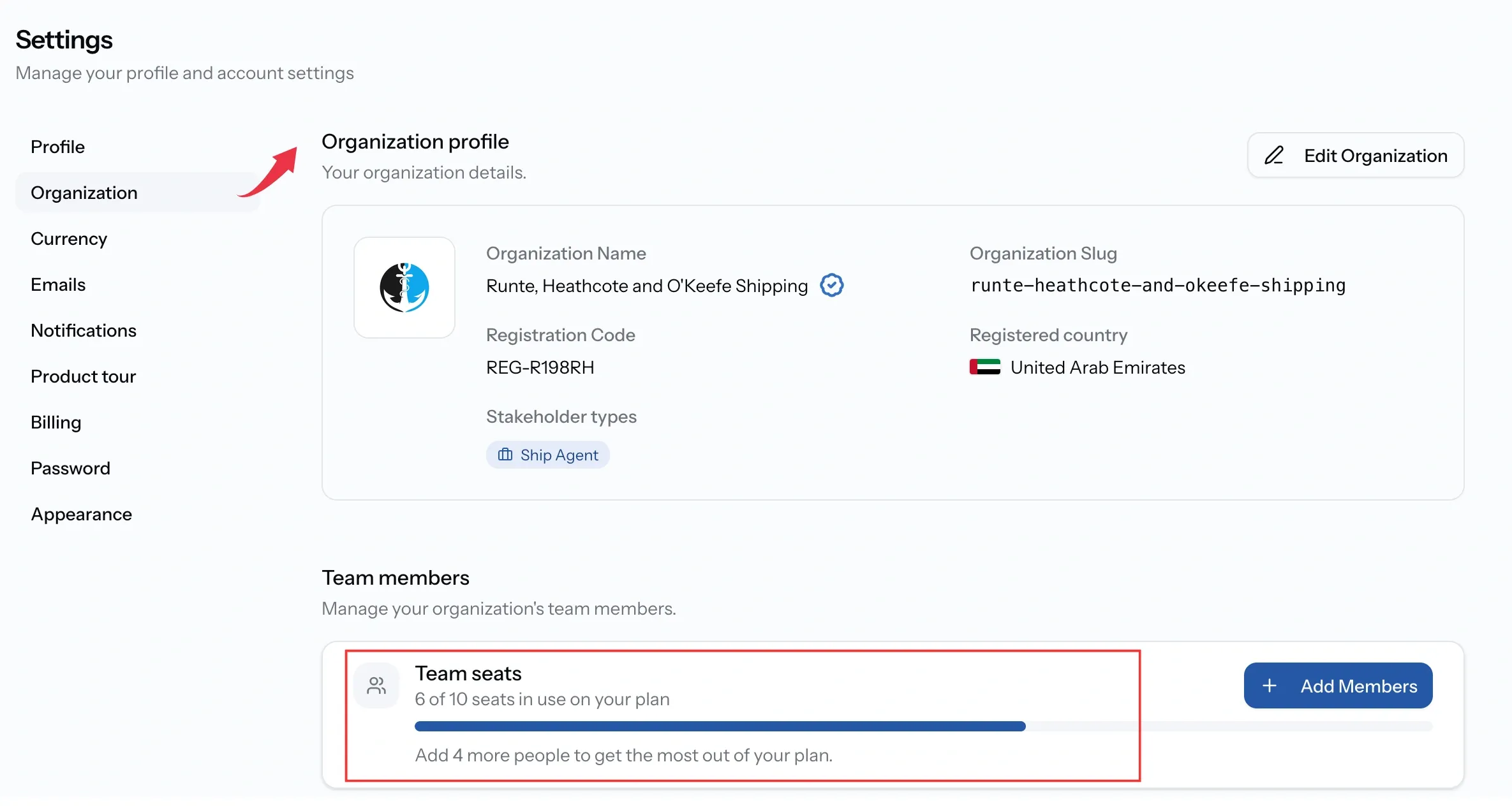
Because Pro is priced per user, a seat is simply an account in your organization. Creating one uses a seat, removing someone frees it.
Your seat count appears in two places: on the billing page as part of your plan, and above the team list, where it says how many are in use out of how many you have. When they are all taken, creating accounts stops until a seat is freed or more are added.
Trying Pro
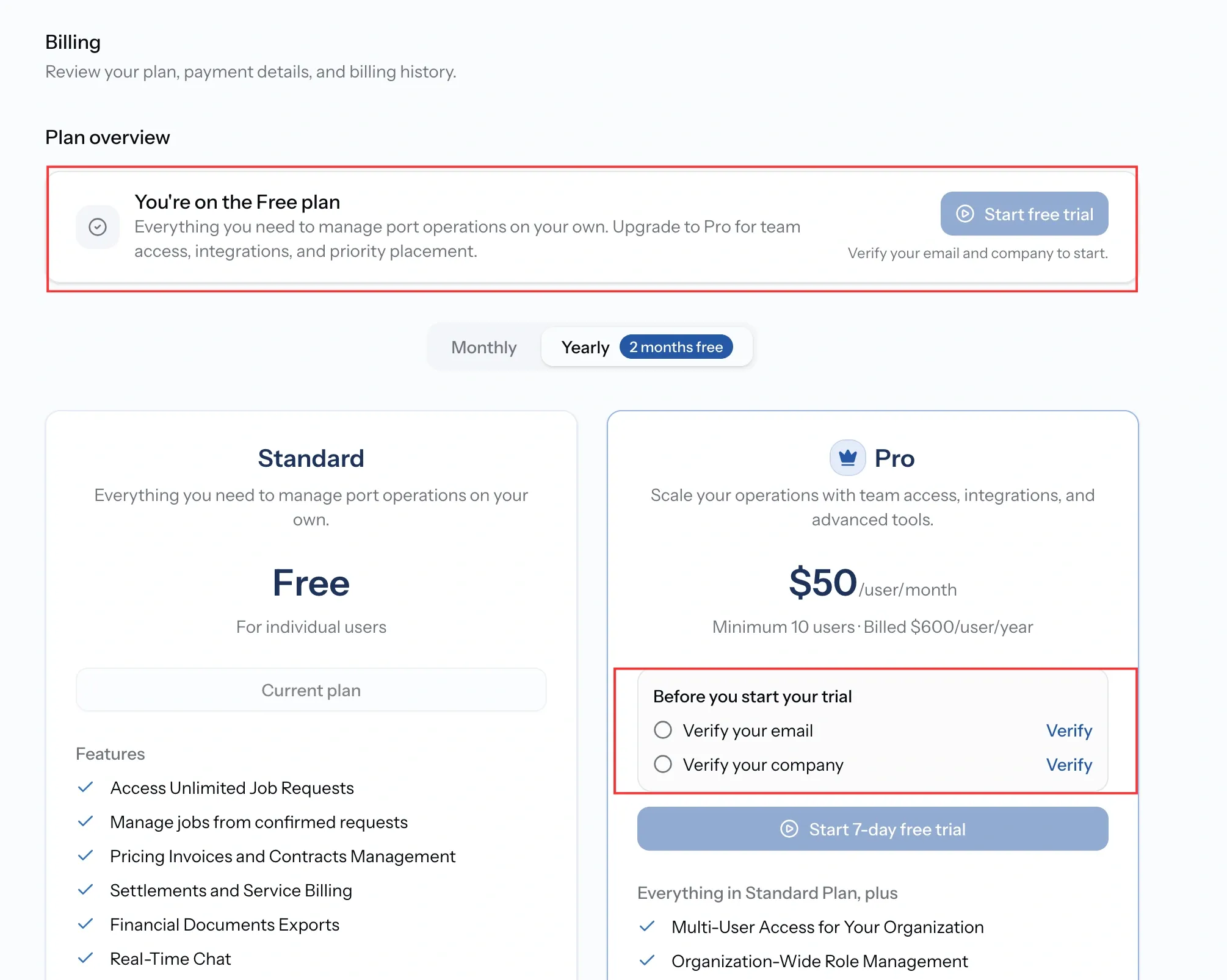
Pro can be trialled before it is paid for, once per organization. Two things have to be in place first, and PortzApp lists them as a checklist: a verified email address on your account, and a verified company.
During the trial the plan card shows how long is left and what happens at the end. Upgrading before that keeps everything running without a break.
Some organizations hold Pro without a subscription, granted by PortzApp rather than bought. That shows as complimentary access, and there is nothing to pay or manage.
Managing your subscription
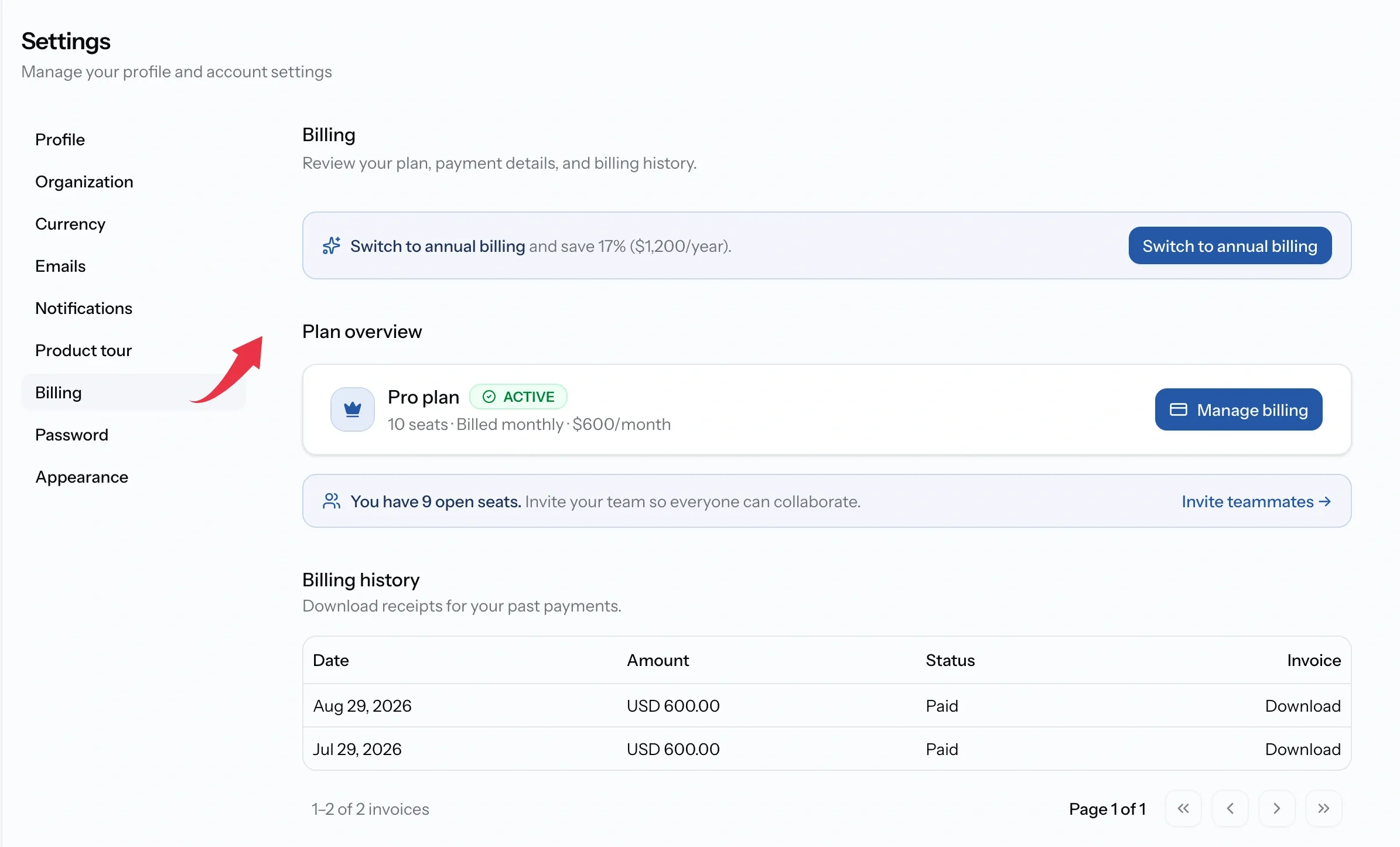
The billing page opens with Plan overview: your plan, its state, your seats, and what you are paying.
Payment details appear once a card is on file, and Billing history lists every payment with its date, amount, status, and a downloadable receipt.
Anything that changes money goes through Manage billing, which opens the payment portal. Cards, cancellation, and the full invoice history live there rather than in PortzApp.
Common issues
A feature is locked
It is part of Pro, or your trial has ended. The plan cards in Settings, Billing show what each plan includes.
I cannot open the billing page
Only Admin, CEO, and Finance can see billing. Of those, Admin and CEO can change the plan or the card, while Finance can view the plan and invoices without altering them.
I cannot start a trial
A trial needs a verified email address and a verified company, and is available once per organization.
I cannot add another team member
Either every seat is in use, or you are on Standard, which is a single user.