
Guided Tours
PortzApp carries short tours through the parts of the app that take the most explaining. They can be started, skipped, and replayed whenever they are useful.
FOR BUYERS & PROVIDERS
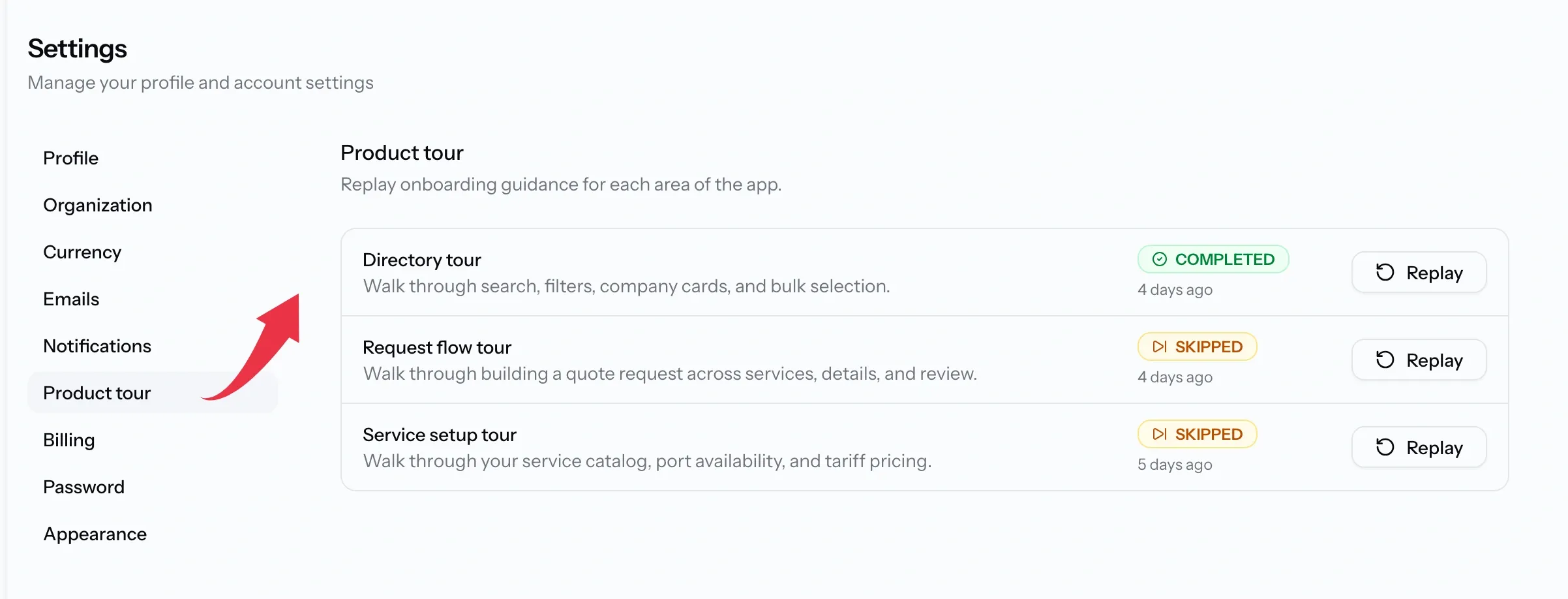
Find them under Settings, then Product tour. Which tours you see depends on what your organization and your role can do, so not everyone gets all three.
Key takeaways
- Tours cover the parts of the app that take the most explaining.
- Which ones you are offered follows what your organization does and your role.
- Every tour can be replayed as often as you like, and changes nothing.
- A tour that is interrupted picks up where it stopped.
What a tour is
Each tour runs inside the real screen rather than a video, pointing at the controls as it describes them, using your own data.
Nothing is changed while you take one. A tour is safe to run mid-job when you have forgotten where something lives.
Which tours you get
The list is built from what your organization can actually do, so an empty row is never shown for something you cannot reach.
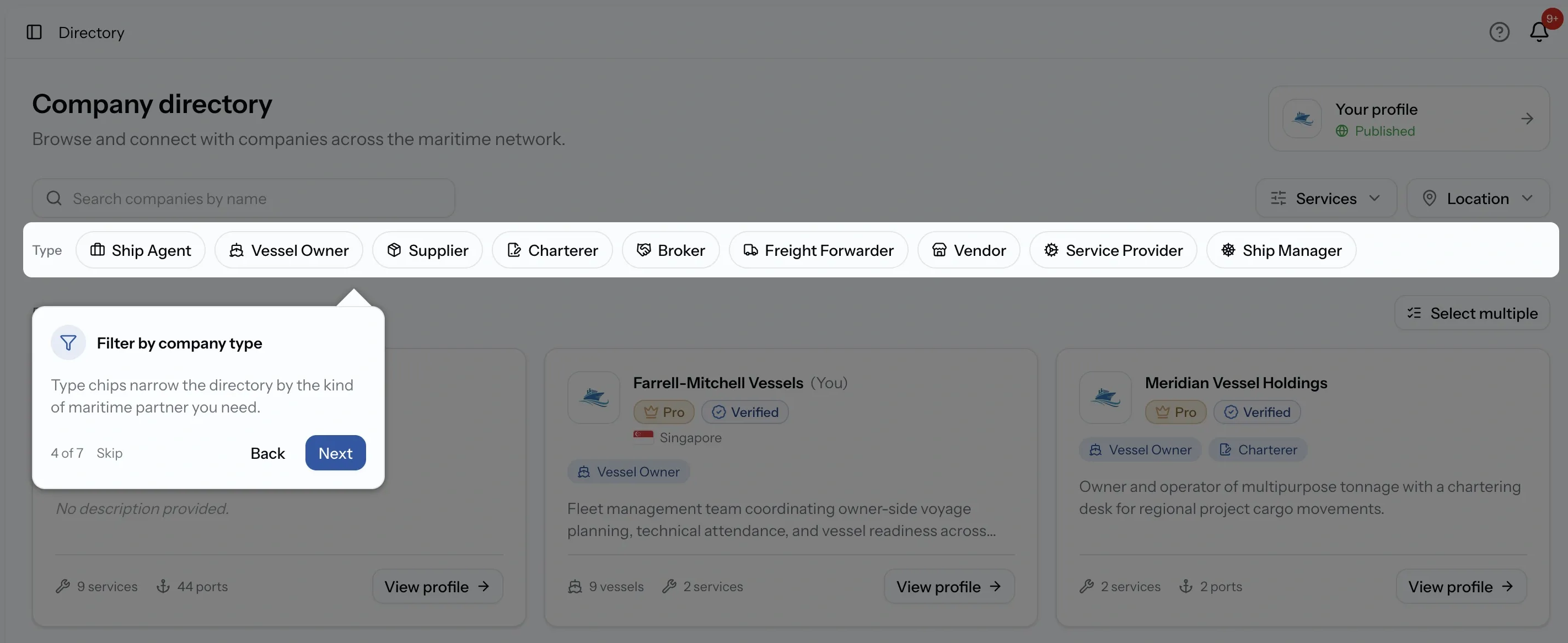
Directory tour, for everyone
Seven steps through finding companies: search, the company type chips, the service and location filters, what the cards tell you, and selecting several companies at once so a request can go to all of them. It also points out your own profile card, which is how you check what buyers see.
Request flow tour, for everyone
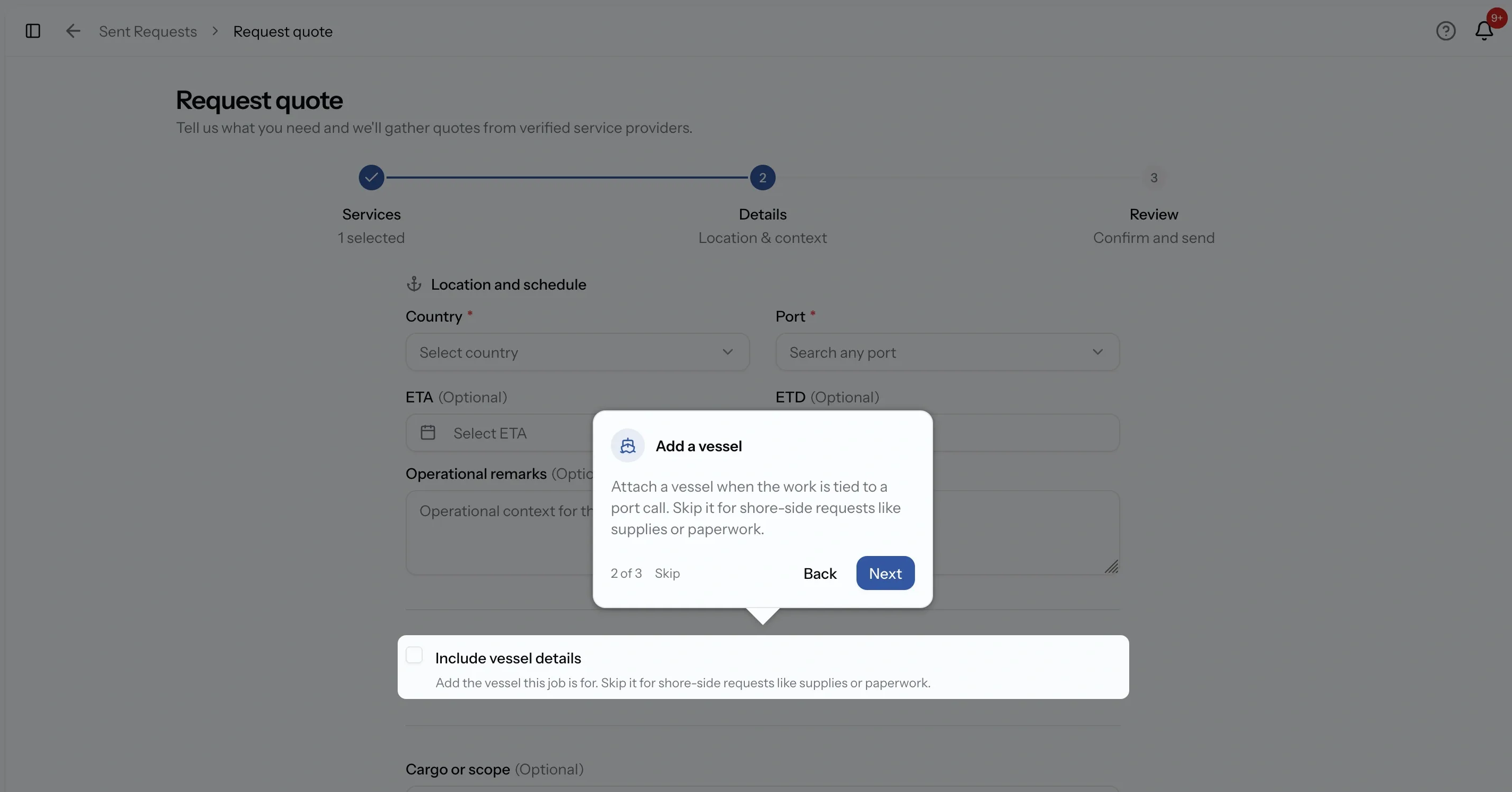
Eleven steps across the whole request builder, following its three stages. It covers choosing services and what to do when the catalog does not cover the job, the country and port that agencies need as a minimum, when to attach a vessel and when to skip it, scope and attachments, and finally who the request goes to and whether to publish or save it as a draft.
Providers get this one too, since they raise requests as well: subcontracting, supplies, and their own port work. It needs a role that can raise one, which means Admin, CEO, Manager, or Operations.
Service setup tour, for providers
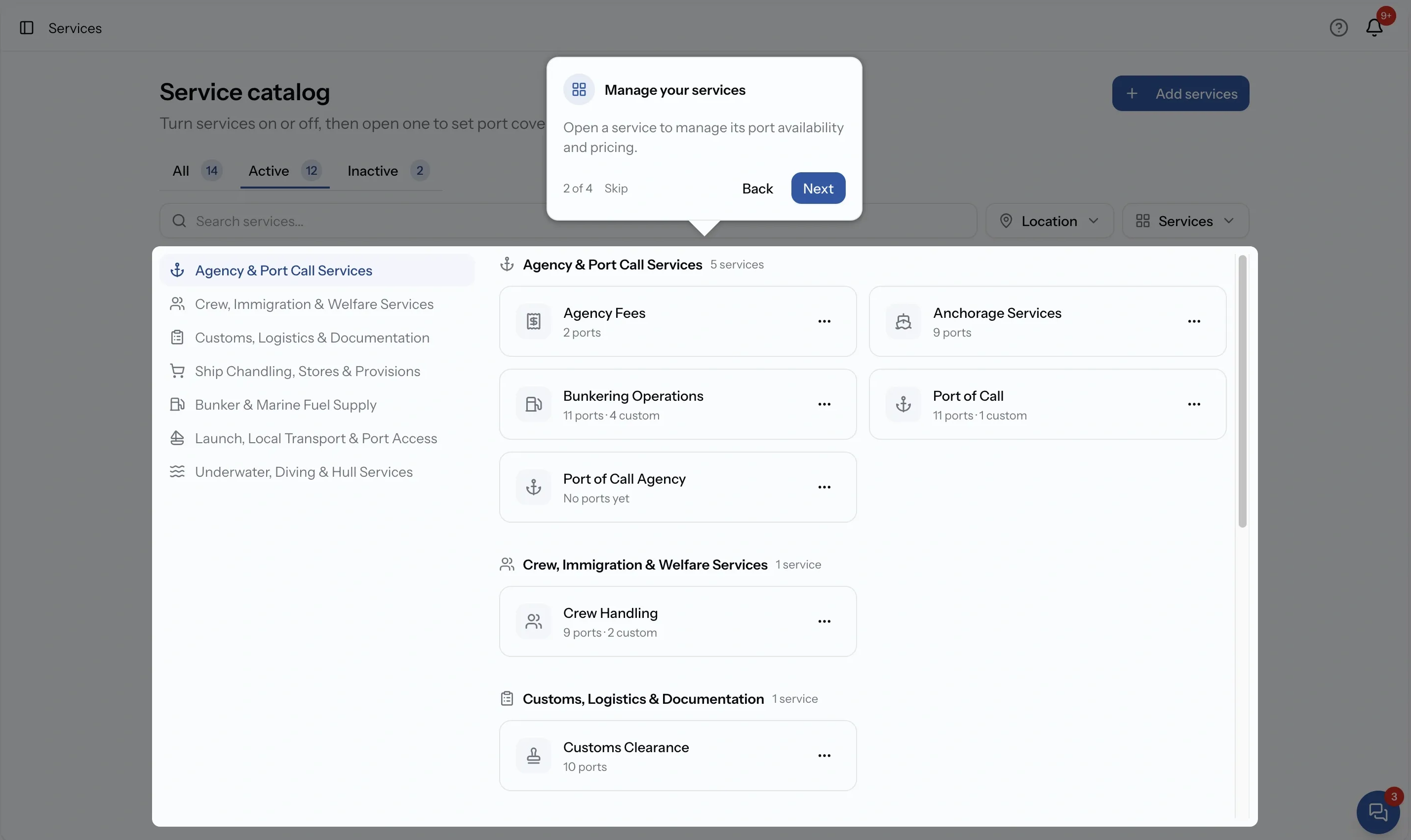
Fourteen steps and the longest of the three, because it spans the whole of getting a catalog live: adding services, finding them again, the tabs on a service, port availability and what it controls, updating many ports at once, and how default tariff items apply everywhere unless a port is customized.
A buying organization has no catalog, so this one is not offered to them.
Moving through a tour
Each step offers Next to continue, Back to return, and Skip to leave, with Done on the last one.
Tours run across more than one page, and the longer ones run across the steps of a wizard. Progress is kept as you go, so leaving partway through and coming back resumes at the step you stopped on rather than the beginning.
Status, and starting again
Every tour carries a status: Completed, Skipped, or Not taken, with the date for the first two. That makes it easy to tell what a new colleague has actually been through.
The action beside it reads Start the first time and Replay afterwards. Replaying is unlimited.
Common issues
I skipped a tour by accident
Nothing is lost. It shows as Skipped and can be replayed from the same page.
A tour stopped partway through
Replaying picks up where it stopped rather than starting over.
It restarted from the beginning instead of resuming
That happens when the step it saved no longer exists, usually after a change to the page. The tour falls back to the start rather than to nothing.